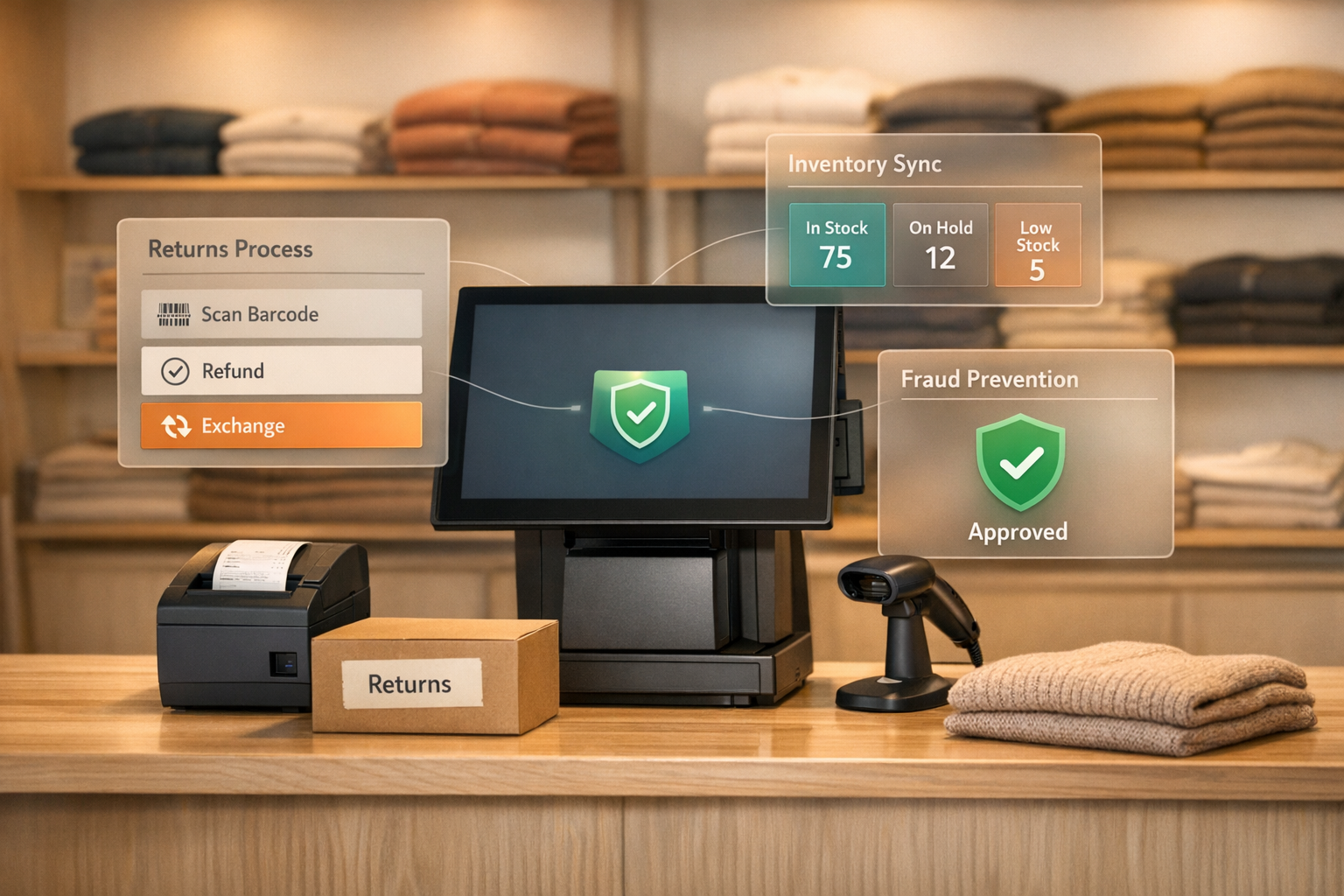
Handling product returns on Shopify can be time-consuming and costly. By 2026, return rates in e-commerce remain high - 20-30% for apparel and 15% for other categories. Returns management software simplifies this process, saving time and helping recover revenue through automation and exchange-first strategies.
Key benefits of returns management software:
- Automates approvals, shipping labels, and refunds.
- Offers self-service portals for customers to initiate returns.
- Encourages exchanges over refunds, helping retain up to 39% more revenue.
- Provides analytics to identify and address frequent return issues.
Top features to look for:
- Branded self-service portals.
- Automatic approval rules.
- AI-powered exchange suggestions.
- QR code returns for printer-free convenience.
- Real-time tracking and analytics.
For Shopify merchants, tools like Forthroute stand out with flat-rate pricing ($19/month) and features like unlimited returns, QR code labels, and integration with inventory systems. This makes it an efficient choice for streamlining returns while minimizing costs.
Want to simplify your returns process and keep more revenue? Start with a returns management tool like Forthroute to automate workflows and focus on customer retention.
Shopify tutorial: A complete walkthrough of the new Self-Serve Returns [New in Shopify]

Core Features to Look for in Returns Management Software
When choosing returns management software for your Shopify store, certain features can make all the difference. These capabilities go beyond basic functionality, helping you not only streamline processes but also protect your revenue and lighten your team’s workload. Here’s a closer look at the key features that define effective returns management.
Self-Service Return Portals
A self-service portal allows customers to initiate returns on their own, without needing to contact your support team. Shoppers simply enter their order details, select items and reasons for the return, and receive instructions - all within a page that mirrors your brand’s look and feel. This keeps the experience consistent and professional, avoiding the disruption of redirecting users to a third-party site. Stores handling large volumes of orders have seen up to an 80% drop in support tickets after adopting self-service portals. Many platforms also offer customizable options and integrations that sync return data directly with Shopify, ensuring a seamless process.
Automatic Approval Rules
Automation is a game-changer when it comes to managing returns. With automatic approval rules, you can enforce your return policies without manual effort. For instance, you can set rules to automatically approve returns under a certain value or within a specific time frame, while rejecting items marked as "Final Sale." Once a return is approved, the system can generate shipping labels, or if rejected, send polite emails explaining why. This level of automation can reduce manual review time by as much as 90%. Some software even flags returns with a high environmental impact, offering alternative solutions to reduce waste.
AI Exchange Recommendations
Modern returns systems often include AI-powered exchange suggestions, which are designed to encourage exchanges instead of refunds. For example, if a customer marks an item as "Too small", the software might suggest the next size up, possibly offering free shipping or a discount to incentivize the exchange. This feature can convert 30–50% of refund requests into exchanges, helping merchants retain up to 39% of revenue that might otherwise be lost. These recommendations are tailored using purchase history, inventory levels, and return trends, ensuring they’re relevant and effective.
QR Code Returns
QR code returns remove the hassle of printing shipping labels, a common obstacle for mobile shoppers. Instead, the software generates a QR code that’s sent via email or displayed on the return portal. Shoppers can take this code to one of over 310,000 drop-off locations (like USPS, UPS, or FedEx), where the carrier scans the code and prints the label on-site. This process simplifies returns for customers and reduces costs for merchants, saving an average of $3.40 per return.
Return Tracking and Analytics
Keeping tabs on returns is crucial, and real-time tracking ensures both you and your customers stay informed. Status updates are automatically synced with Shopify, providing transparency throughout the return journey. Analytics dashboards take it a step further by highlighting trends - like frequently returned products, common reasons for returns, and their financial impact. These insights can help you fine-tune product descriptions, improve sizing guides, or even phase out items that consistently underperform, potentially lowering return rates by 20–30%. Some platforms even go a step further by including sustainability metrics, such as the carbon footprint of returns, and automating restocking when items arrive at your warehouse.
How to Set Up Returns Management Software on Shopify
You can set up returns management software on Shopify in just three steps: install the app, configure your return rules and shipping settings, and add a return portal link to your store. This process ensures your store is ready to handle returns efficiently.
Installing the App
First, log in to your Shopify admin and head to Apps. From there, visit the Shopify App Store and search for ForthRoute (available at https://forthroute.io). Click Add app and review the permissions required. ForthRoute needs access to orders, products, customers, inventory, and shipping labels to enable features like automatic approvals, QR code label generation, and real-time inventory updates. Once you approve the permissions, the app will sync your order data in seconds. After installation, you’ll be ready to set up your return policies and shipping configurations.
Setting Up Return Rules and Shipping
With ForthRoute installed, open its dashboard to define your store’s return policies. Start by setting your return window - most stores choose 14 to 30 days. You can also establish value thresholds for automatic approvals (e.g., auto-approving returns for items below a certain price) and mark specific products, like final sale items, as non-returnable. If needed, create custom rules based on product categories, reasons for return, or timeframes. For example, you could auto-approve exchanges for size issues while requiring additional proof for defective items. Test your settings with a mock order to ensure everything works as expected.
Next, connect your shipping carriers. Use your API credentials to link accounts like USPS, UPS, or FedEx within the app’s shipping settings. Decide whether to cover return shipping costs yourself or pass them on to customers. Once connected, generate a test label to confirm that carrier rates and label formats are accurate. After fine-tuning your rules and shipping setup, you’re ready to add the return portal to your store.
Adding Return Links to Your Store
ForthRoute creates a customizable return portal URL for your store. To add this to your site, go to Online Store > Navigation in your Shopify admin. Select your footer menu, click Add menu item, and label it something like "Returns" or "Start a Return." Paste the portal URL into the link field. You can also include this link in order confirmation emails with a clear call-to-action, such as "Need to make a return? Click here."
Before launching the portal, run a full test return. Place an order, initiate a return through the portal, approve it, generate the return label, and confirm that inventory updates and refunds are processed correctly. This quick test - usually taking around 5 minutes - can help you catch any issues, like unlinked carriers or incorrect rules, before your customers start using the system.
sbb-itb-a3e286c
How to Keep More Revenue Through Returns Automation
Returns automation helps transform refunds into exchanges or store credits, which means more revenue stays with your business. By combining self-service tools and automated approvals with advanced return strategies, you can significantly reduce revenue loss. Merchants who focus on exchanges instead of refunds can retain up to 39% more revenue.
Prioritizing Exchanges Over Refunds
If you want to turn returns into revenue, start by designing your system to promote exchanges. For instance, when a customer initiates a return, offer product suggestions tailored to their return reason. Let’s say someone returns a shirt because it’s "too small." Display options for the next size up or a similar style. Then, make it easy by automatically creating replacement orders and even including upsell recommendations.
To make exchanges the easiest path, set up smart approval rules. For common return reasons like sizing issues, approve exchange requests automatically. On the other hand, add a bit of friction for refunds by requiring manual approvals. This subtle difference encourages customers to choose an exchange instead of waiting for a refund.
Offering Instant Store Credit
Refunds can take 5–10 business days to process, but instant store credit eliminates the wait. Once a return is approved, customers immediately receive digital credit they can use to shop again.
To make store credit even more appealing, consider adding a small bonus. For example, offering an extra 10% value on store credit gives customers a compelling reason to keep shopping. Many return management tools allow you to set up these bonus incentives directly in their dashboards, applying the credit automatically after approval.
If you’re looking for a cost-effective solution, Forthroute offers instant store credit functionality for just $19/month. With its flat-rate pricing, you avoid additional fees while keeping customers engaged.
Using Return Data to Reduce Future Returns
Return data is a goldmine for improving your operations. Your dashboard can reveal which products are most frequently returned, the top reasons for returns, and which customer groups have the highest return rates. For instance, if 40% of returns are due to sizing issues, it’s a clear sign you need to update your size charts or product descriptions. Similarly, frequent returns of a specific item could point to a quality issue that needs attention.
This data isn’t just useful for fixing problems - it can guide inventory decisions too. You might choose to discontinue products with high return rates, bundle items with fewer returns, or add extra quality checks for items prone to issues. Studies suggest that merchants can save $3.40 per return in logistics costs by using data-driven strategies to minimize future returns.
The fewer returns you handle, the more revenue you hold onto - without relying solely on exchanges to offset losses.
Connecting Returns Management with Other Shopify Tools
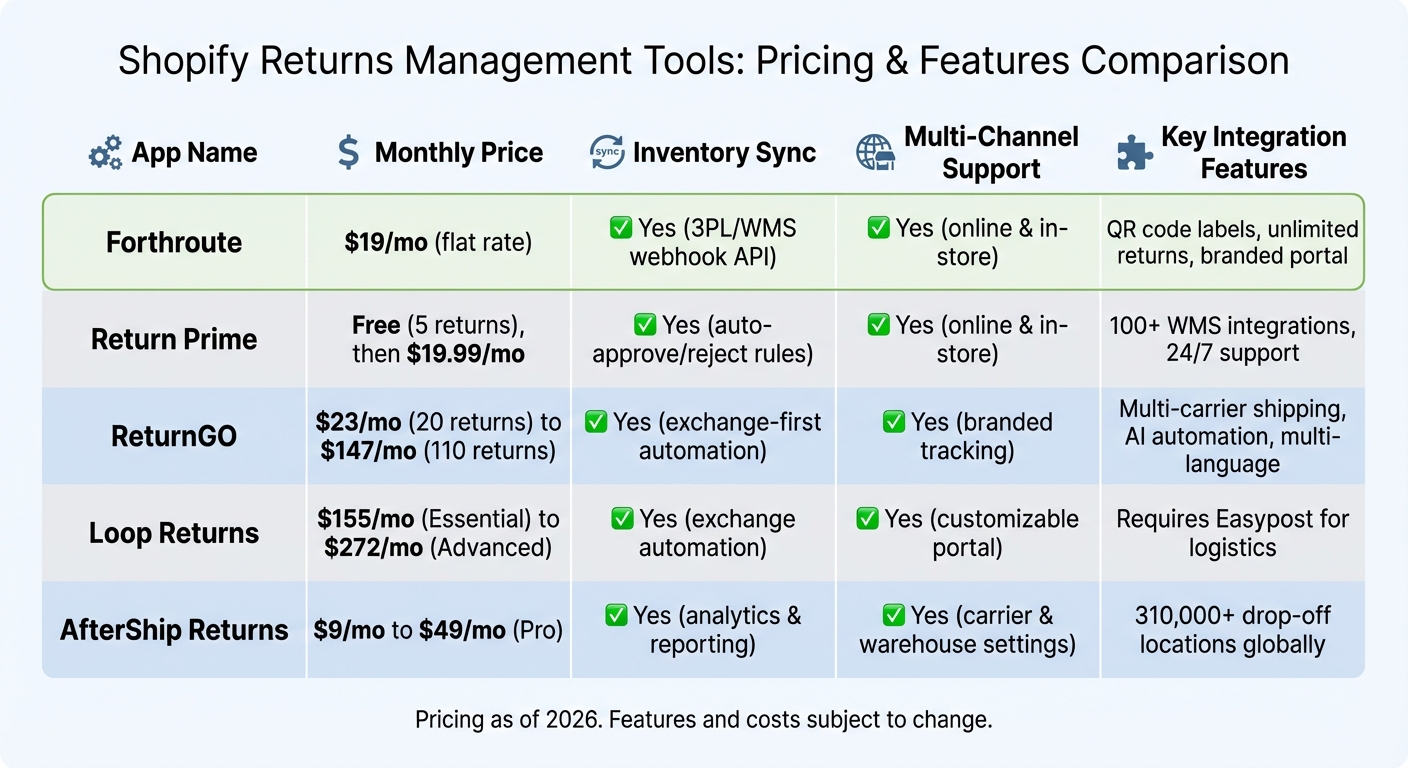
Shopify Returns Management Software Pricing and Features Comparison 2026
Returns management software works best when it's part of a larger, interconnected system. By linking your returns platform with inventory tools, point-of-sale systems, and warehouse software, you can create a streamlined workflow that updates seamlessly across all channels.
Syncing with Inventory Management Systems
When a customer sends back a product, your inventory system needs to reflect that change as soon as the item is ready for resale. Waiting days for manual updates could lead to overselling - a frustrating issue for both businesses and customers. To avoid this, modern returns apps use webhooks to sync directly with Warehouse Management Systems (WMS) and Third-Party Logistics (3PL) providers. These webhooks ensure inventory is updated automatically at critical stages like receipt, inspection, and restocking.
For instance, imagine a customer returns a jacket on Monday, and your warehouse inspects it on Wednesday. The system won't mark the jacket as available until the inspection is complete. This prevents prematurely listing it as in stock.
Automated restocking rules add another layer of efficiency. A simple item like a t-shirt might be restocked immediately, while a more complex product, such as electronics, could require a quality check first. This approach keeps your inventory accurate without burdening your team with extra manual work, ensuring a smooth integration across all channels.
Handling In-Store and Online Returns Together
If you run both online and physical stores, you know how tricky it can be to manage returns across these channels without creating redundant workflows. A unified returns system solves this by connecting your Shopify POS with your online returns portal. This way, both in-store and online returns follow the same rules for approvals, return windows, and inventory updates.
Here’s an example: a customer buys a sweater online but decides to return it in person at one of your stores. Your staff scans the order number in the POS system, which then displays the same return options available online. Once the return is processed, the inventory update is instant across all systems - online, in-store, and the warehouse. This not only simplifies operations but also ensures consistent records across all touchpoints.
Many advanced returns platforms support this type of multi-channel processing, allowing merchants to maintain uniform policies whether customers return items by mail or in person.
Feature and Pricing Comparison for Shopify Returns Tools
While operational integration is critical, pricing and features also play a big role in selecting the right returns platform. Below is a comparison of popular Shopify returns tools, highlighting their costs and key features:
| App | Monthly Price | Inventory Sync | Multi-Channel Support | Key Integration Features |
|---|---|---|---|---|
| Forthroute | $19/mo | Yes (3PL/WMS webhook API) | Yes (online & in-store) | QR code labels, unlimited returns, branded portal |
| Return Prime | Free (5 returns), then $19.99/mo | Yes (auto-approve/reject rules) | Yes (online & in-store) | 100+ WMS integrations, 24/7 support |
| ReturnGO | $23/mo (20 returns) to $147/mo (110 returns) | Yes (exchange-first automation) | Yes (branded tracking) | Multi-carrier shipping, AI automation, multi-language |
| Loop Returns | $155/mo (Essential) to $272/mo (Advanced) | Yes (exchange automation) | Yes (customizable portal) | Requires Easypost for logistics |
| AfterShip Returns | $9/mo to $49/mo (Pro) | Yes (analytics & reporting) | Yes (carrier & warehouse settings) | 310,000+ drop-off locations globally |
The cost differences are striking. Forthroute offers a flat $19/month for unlimited returns with full 3PL/WMS integration. By contrast, ReturnGO starts at $23/month for just 20 returns, with an extra charge of around $1.25 per additional return, and Loop Returns begins at $155/month. For merchants handling 50+ returns a month, a flat-rate model can save you from unpredictable fees.
Beyond pricing, integration capabilities are just as important. Some platforms support over 100 WMS and logistics integrations, which is ideal if you rely on third-party fulfillment. Others may require additional tools, like Easypost, for shipping and tracking - adding complexity to your setup. Some solutions also offer extensive logistics networks with over 310,000 drop-off locations, though these advanced features often come at a higher price point.
Why Forthroute Works for Shopify Merchants
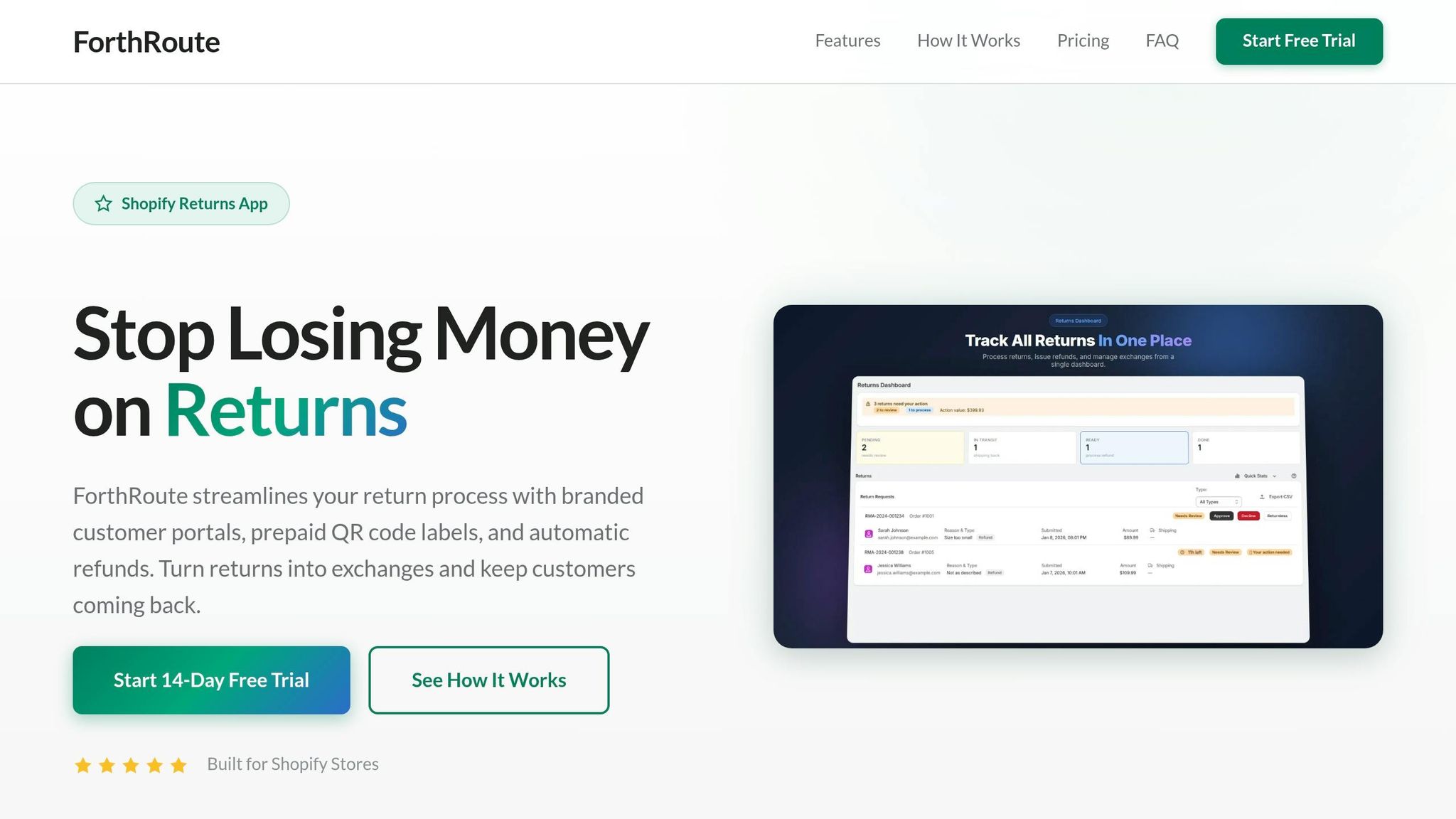
Forthroute tackles a major hurdle for Shopify stores: turning returns into revenue. For just $19/month, Shopify merchants get access to features like branded portals, prepaid QR labels, automated refunds, and AI-powered exchange suggestions. The pricing is simple and transparent - no extra fees per return and no hidden charges for integrating with your 3PL or warehouse systems. Plus, the flat rate stays consistent as your business grows.
Setting up Forthroute is quick and easy. In under five minutes, you can install the app, customize your branded portal, and add a "Start a Return" link to your store. From there, customers can handle returns themselves, opting for exchanges or store credit before refunds are even offered. This "exchange-first" approach helps you retain more revenue that might otherwise be lost to full refunds.
The platform also simplifies operations by automating tedious tasks. You can set rules like auto-approving returns under $50 or rejecting Final Sale items, leaving the system to handle everything from approvals to label creation and inventory updates. With its webhook API, Forthroute syncs in real time with your warehouse management system, ensuring that restocking happens smoothly after items are inspected and approved. Pairing it with inventory management software can make your workflow even more efficient.
Thanks to its flat-rate pricing and automation capabilities, Forthroute offers a predictable and scalable solution for managing returns - no matter how many you process. If you're interested in exploring more about returns management tools tailored for Shopify, Forthroute is worth a closer look.
Want to see the difference for yourself? Start with Forthroute's 14-day free trial - no credit card required. Install the app, set your rules, and discover how prioritizing exchanges and store credit can transform your returns process. Visit forthroute.io to get started.
FAQs
Can returns software reduce refunds by encouraging exchanges?
Yes, returns software can play a key role in minimizing refunds by offering customers alternatives like exchanges or store credit. This strategy not only helps businesses hold onto revenue but also boosts customer satisfaction and fosters loyalty, encouraging shoppers to return for future purchases.
What's the best returns management software for Shopify?
If you're running a Shopify store in 2026, ForthRoute stands out as the top choice for returns management. At just $19/month with flat-rate pricing and no volume-based fees, it’s a budget-friendly option, especially for small to medium-sized businesses.
Here’s what makes ForthRoute shine:
- Branded portals: Create a seamless, professional experience for your customers.
- Prepaid QR labels: Simplify the return process for buyers.
- Automated rules: Save time by reducing repetitive tasks.
- Exchange suggestions: Encourage exchanges instead of refunds to retain revenue.
ForthRoute is not only easy to set up but also helps streamline operations, cutting down manual work. Plus, by prioritizing exchanges over refunds, it boosts revenue while keeping your customers happy.
Is there free returns management software?
Some returns management software includes free plans. For instance, ReturnPrime offers a free version, though it comes with fewer features than its paid options. These free plans can be a practical choice for smaller businesses aiming to handle returns more effectively.