Which is better for managing returns: emails or self-service portals? Self-service portals are faster, more efficient, and preferred by customers. They allow users to handle returns independently, reducing delays and manual work for businesses. In contrast, email-based returns are slow, require back-and-forth communication, and create a heavy workload for support teams.
Key Highlights:
- Email Returns: Slow manual processes, long wait times, and high customer frustration.
- Self-Service Portals: Instant return initiation, automated approvals, and better customer satisfaction.
Quick Comparison:
| Feature | Email-Based Returns | Self-Service Portals |
|---|---|---|
| Setup Time | Immediate, no tools needed | Initial configuration required |
| Customer Experience | Frustrating and time-consuming | Fast, easy, and transparent |
| Approval Process | Manual | Automated |
| Support Workload | High | Reduced by 60%+ |
| Refund Time | 3–4 weeks | As quick as 5 days |
| Revenue Retention | Low | Encourages exchanges/credits |
Why it matters: 81% of consumers prefer self-service options, and 84% will abandon a brand after a poor return experience. Self-service portals save time, reduce errors, and improve loyalty by offering convenience and transparency. Businesses like CurrentBody have seen fewer complaints and faster processing after switching to a portal. Ready to upgrade? It’s a small investment with big rewards.
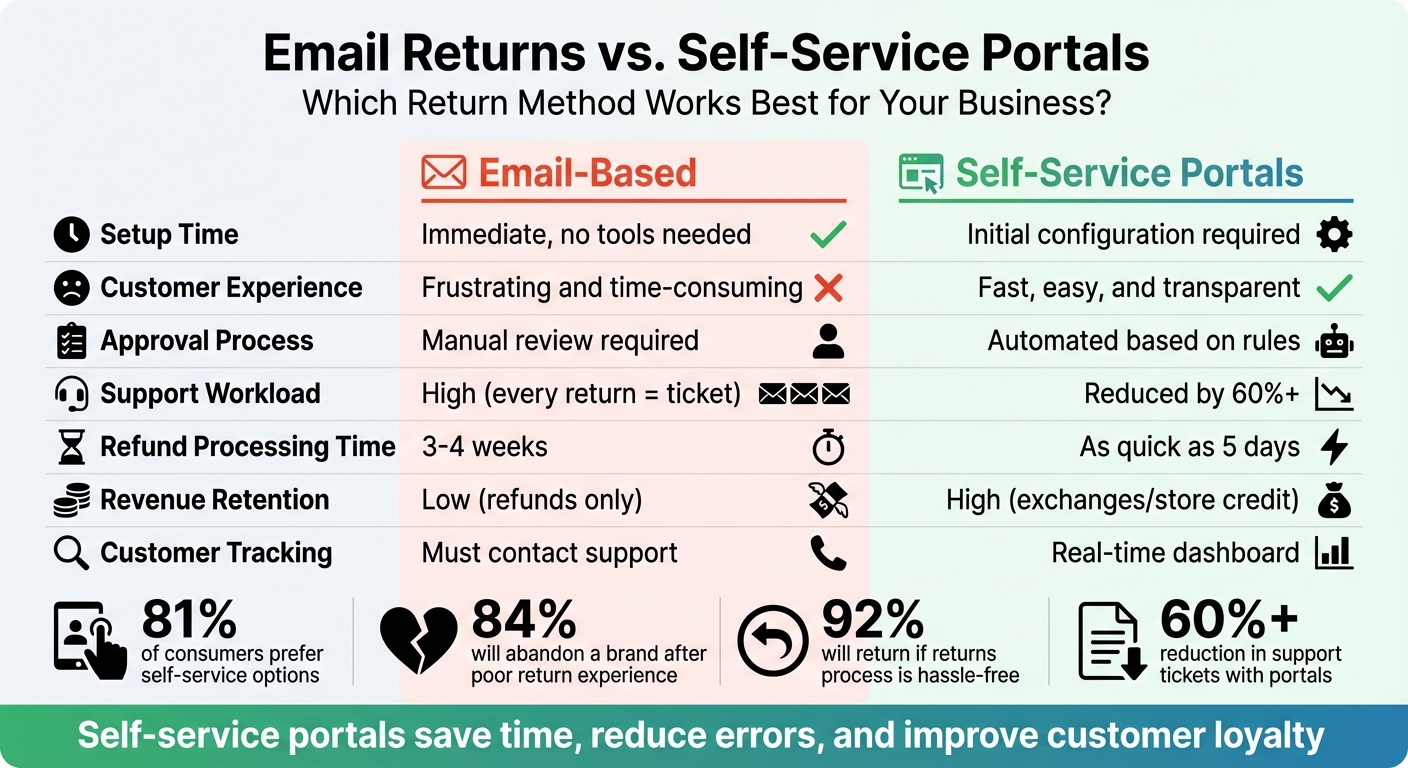
Email Returns vs Self-Service Portals: Feature Comparison Chart
Streamline returns with a self-service return portal
sbb-itb-a3e286c
Email-Based Returns: How They Work
This section breaks down the email-based returns process, highlighting its challenges. It explores the communication hurdles, manual workflows, and operational inefficiencies that make this system difficult to manage, especially when compared to self-service alternatives.
Customer Initiation and Back-and-Forth Communication
The process typically starts when a customer sends an email requesting a return. What follows is often a slow and tedious exchange. Support teams need to gather details like order numbers, reasons for the return, or even photos, which can drag out the process. Rebecca Lazar from ReturnGO explains the crux of the issue:
"Emails can easily be misinterpreted or miss details. Requesting images as proof, understanding the customer's request, and clearly communicating your solution all become complicated when sent over email".
This back-and-forth can stretch over several days - or longer. Statistics show that 32% of customers have to personally contact a retailer to get return authorization, and 79% of shoppers actively avoid mail-in returns due to the hassle and extended timelines. Once all the necessary information is collected, the manual review process begins.
Manual Review and Processing Steps
After gathering the required details, support teams manually review each return request to ensure it aligns with the store's policies. This involves checking orders, screening for fraud, and verifying eligibility. Once approved, staff then create shipping labels, inspect items upon return, update inventory, and process refunds or exchanges.
For example, in 2020, EVEREVE, a retailer with over 93 boutiques and an online store, faced significant challenges with this manual workflow. An 11% rise in e-commerce sales overwhelmed their customer service teams, leading to a flood of "Where's my return?" inquiries. This manual process also left them without clear visibility into return data.
Common Problems with Email Returns
The main issues with email-based returns boil down to speed, visibility, and workload. Processing refunds manually often takes 3–4 weeks, leaving customers in the dark about their return status. Without a centralized system to track requests, emails can get buried in inboxes or lost between team members. ReturnGO highlights this issue:
"Without having them all laid out in one place, it's easy to forget or overlook customer requests".
As return volumes grow, especially in sectors like apparel where rates can climb to 50%, these systems become unsustainable. Human errors in applying policies, delays in updating inventory, and the time-intensive nature of handling each request individually all add to the strain. These inefficiencies frustrate customers and overwhelm staff - problems that modern self-service platforms aim to solve.
Self-Service Portals: How They Work
Self-service portals are transforming the way returns are managed by putting customers in the driver’s seat. Instead of dealing with slow email responses or frustrating phone menus, shoppers can use a branded digital platform to handle returns independently - anytime, day or night. These portals manage everything from checking eligibility to generating shipping labels, cutting out the need for manual staff involvement. Compared to the traditional email method, this automated process is much faster and more efficient.
Customer Access and Starting a Return
Merchants make it easy for customers to start a return by placing a "Start a Return" button in prominent spots like website footers or order confirmation emails. Clicking the link directs customers to a branded portal.
From there, the process is simple: customers enter their Order ID and either their email address or phone number. The system retrieves their order details and shows which items can be returned - no account creation or waiting for business hours required. This eliminates the back-and-forth delays common with email-based returns. For instance, a beauty tech company reported a 63% drop in returns-related support tickets after adopting this system. The portal also filters out ineligible items, like those past the return window, marked "Final Sale", or hygiene products, reducing unnecessary submissions by 16%.
Automated Approvals and Label Creation
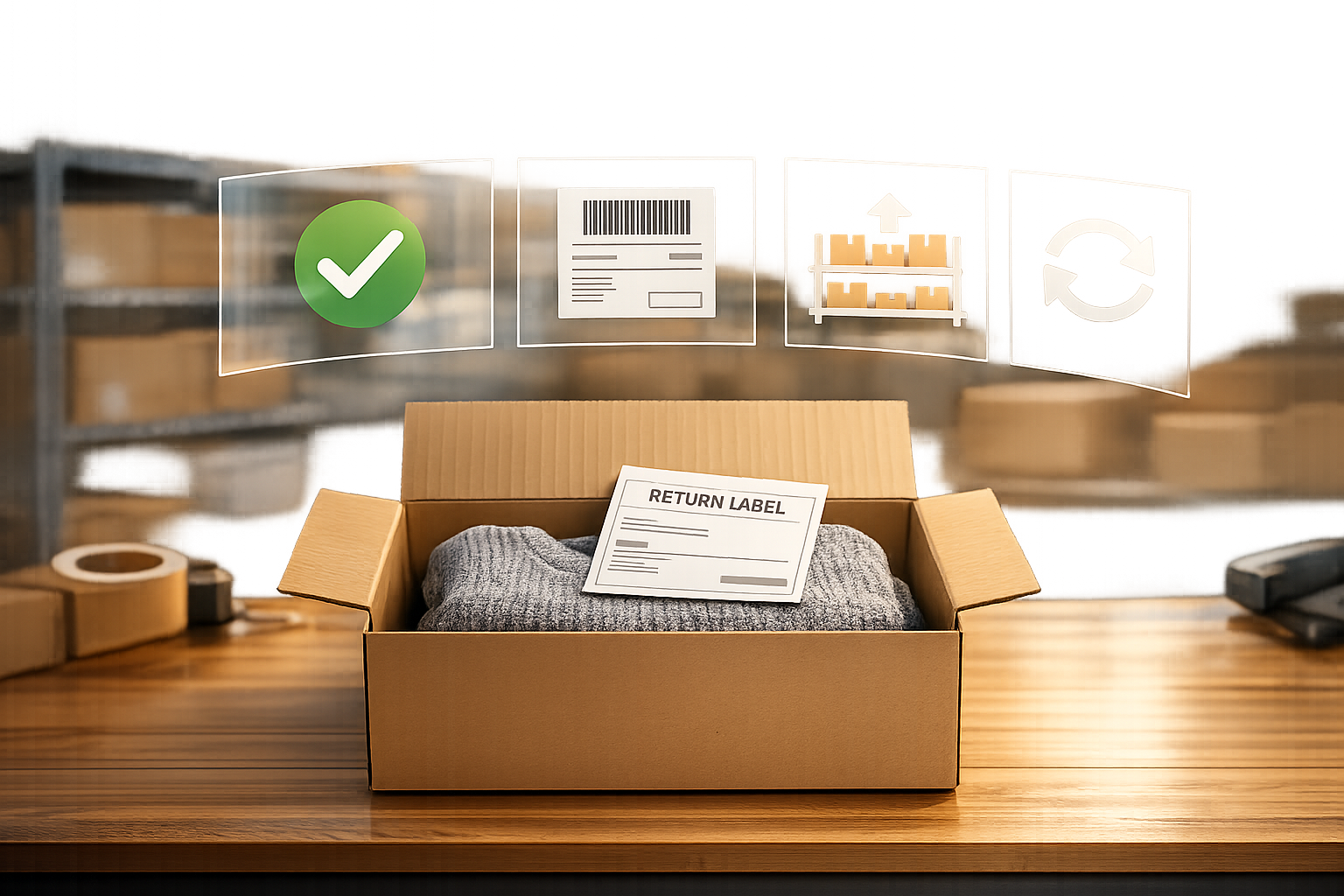
Once a customer selects an item for return and provides a reason - like "Too small" or "Damaged" - the system automatically approves eligible returns based on pre-set rules. This skips the need for manual reviews in straightforward cases. For approved returns, a prepaid shipping label is instantly generated. Customers can either print the label at home or use a QR code at drop-off locations like UPS or USPS, making the process even easier for those without a printer.
The impact of these features is clear. One study found an 18% reduction in total returns and a lighter load for customer service teams. Another case study revealed that refund processing times dropped dramatically - from 3–4 weeks to just 5 days, an 82% improvement. Besides speeding things up, these automated tools also create opportunities to retain more revenue.
Exchange and Store Credit Features
One standout benefit of self-service portals is how they encourage exchanges and store credit over refunds. For example, if a customer selects "Too small" as the return reason, the portal can instantly suggest the same item in a larger size. With just one click, the customer can make the exchange, and any price differences are automatically adjusted.
The system also offers store credit or personalized discounts, nudging customers to keep their money within the brand rather than opting for a cash refund. This approach doesn’t just simplify the process - it helps businesses hold onto revenue. Research shows that 95% of customers are likely to shop again with a brand if the returns or exchange process is hassle-free. By making exchanges easier than refunds, businesses can strengthen customer loyalty while protecting their bottom line.
Email Returns vs. Self-Service Portals: Direct Comparison
Comparison Table
When you stack email returns against self-service portals, the differences in how they operate become pretty clear:
| Feature | Email-Based Returns | Self-Service Portals |
|---|---|---|
| Setup Time | Instant (no software needed) | Requires initial configuration |
| Customer Initiation | Slow (requires writing an email) | Fast (via order ID and email) |
| Approval Process | Manual review for every request | Automated based on set rules |
| Communication | Manual back-and-forth | Automated email/SMS updates |
| Tracking | Proactive customer inquiry needed | Real-time tracking dashboard |
| Resolution | Delayed (days/weeks) | Instant (credit/exchange) |
| Support Workload | High (every return is a ticket) | Low (60%+ reduction in tickets) |
| Branding | Limited to email signature | Fully branded, cohesive experience |
The contrast is striking. Email returns might seem simple to set up since they don’t require software, but they come with hidden costs - like the time and effort spent on manual processes. On the other hand, self-service portals require upfront configuration but pay off with faster resolutions, reduced workload, and a much smoother experience for everyone involved.
Customer Experience: Which Method Works Better
Operationally, the two systems differ, but the customer experience is where the gap widens even further. Shoppers today expect speed and clarity. Email-based returns often fail to meet these expectations, creating unnecessary friction. And the stakes are high - 84% of online shoppers will abandon a brand after a poor returns experience.
Self-service portals completely sidestep these issues. They allow customers to initiate returns at their convenience, confirm eligibility instantly, and access prepaid labels and real-time tracking. This process aligns with what customers want: 81% of consumers prefer more self-service options, and 73% want to resolve problems on their own.
The results speak for themselves. Take CurrentBody, a global beauty technology retailer. After introducing a self-service portal in July 2025, they saw a 90% drop in negative reviews related to returns. Jadwiga Imiela, their Returns Manager, shared:
"Customers were frustrated with the lack of transparency and the long wait times for refunds. It was a major pain point for us, and we knew we needed a more efficient solution."
An easy returns process doesn’t just improve satisfaction - it builds loyalty. 92% of shoppers say they’ll return to a brand if the returns process is hassle-free.
Operational Efficiency: Time and Resource Savings
While customer satisfaction is the ultimate goal, operational efficiency is the engine that drives it. Email-based returns create a heavy burden for support teams, as every step - checking order details, approving requests, generating labels, and communicating with customers - requires manual effort.
Self-service portals flip the script by automating these repetitive tasks. This frees up support teams to focus on more challenging issues. For example, CurrentBody reduced return-related support tickets by 63% after adopting a self-service system. Similarly, Conrad Electronic SE saw significant improvements in handling customer inquiries. Silvio Heider, their Process Management Expert, noted:
"Now, with a more streamlined returns process, we can efficiently manage the surge in customer inquiries and save on costs."
These systems also centralize data, eliminating the chaos of scattered email threads. They collect structured feedback - like whether items were "too small" or "damaged" - helping businesses quickly identify and address recurring issues. Self-service portals even enforce eligibility rules automatically, reducing the frustration of rejected returns. CurrentBody, for instance, eliminated ineligible submissions, which had previously made up 16% of returns.
The efficiency gains are undeniable. Businesses using self-service portals can cut total return processing time by up to 70%, all while managing higher volumes without needing to expand their teams.
How Self-Service Portals Keep More Revenue
Self-service portals aren't just about improving customer experience - they're also about keeping revenue where it belongs. Refunds often mean lost sales, along with unrecovered shipping and processing costs. On the other hand, exchanges and store credits keep money circulating within the business. In fact, studies reveal that 45% of consumers prefer store credit or exchanges over traditional refunds. Even better, exchanges often lead to additional spending, with customers spending 15%–47% more than their original purchase. Add smart product suggestions into the mix, and the potential for revenue retention grows even further.
AI-Powered Product Recommendations
Self-service portals can turn a return request into a new sale with the help of AI. For instance, if someone wants to return an item because of a sizing issue, the system can recommend the same product in a different size or suggest similar alternatives. This quick and tailored approach can turn what might have been a lost sale into a reconversion opportunity.
Instant Store Credit to Encourage New Purchases
Offering instant store credit is a game-changer for customer behavior. Rather than waiting weeks for a refund, customers are far more likely to shop again when they have immediate access to store credit. Modern portals even guide users directly to available products, keeping them engaged with your brand. Sweetening the deal with incentives - like an extra $5 or a 10% bonus - can further nudge customers toward choosing store credit over a cash refund. These strategies can significantly reduce refund rates - by as much as 47% - and create a 35% upsell opportunity when customers use store credit.
Forthroute is a great example of this in action, using an automated returns process and a branded portal to focus on retaining revenue efficiently.
How to Set Up a Self-Service Portal on Shopify

A self-service portal can boost efficiency and improve customer satisfaction, and setting one up on Shopify is simpler than you might think. Many merchants can get theirs running in just a few hours. The key? Focus on three essentials: make the portal easy to find, use smart automation rules, and provide convenient return options like QR codes.
Adding a Returns Link to Your Store
The first step is making sure your customers know where to start a return. A "Start a Return" link in your store's footer is an effective solution since shoppers often look there for support options. To add this, go to Online Store > Navigation in your Shopify Admin and include the URL for your returns portal in the Footer menu. Most returns solutions create a URL like yourstore.com/apps/returns.
You can also include this link in your order confirmation emails to guide customers through the process. This is especially helpful since 73% of shoppers prefer solving issues themselves. Once the link is easy to find, you can set up the automation rules that make the process seamless.
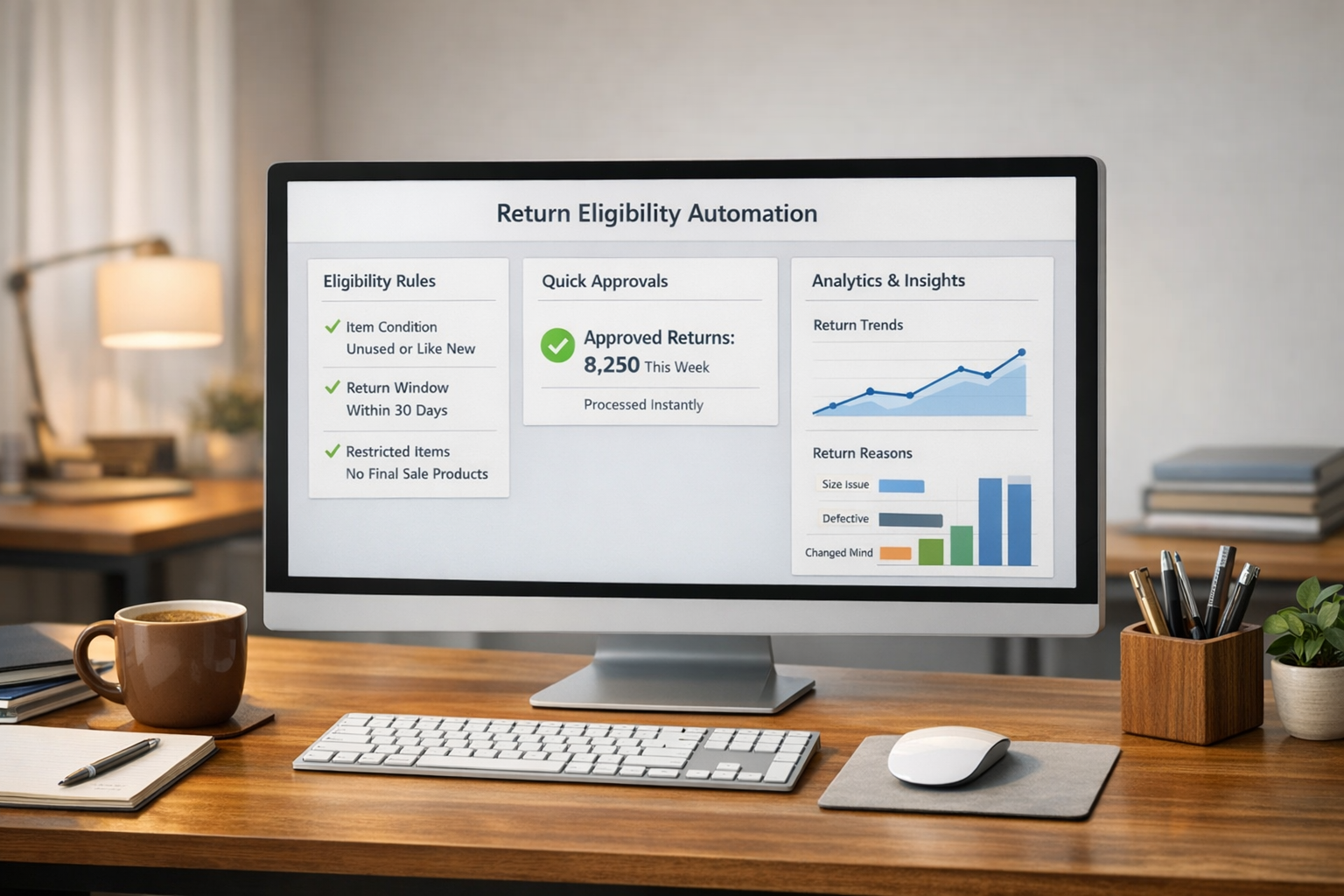
Configuring Automation Rules
Automation rules are a game-changer because they eliminate the need for manual reviews, which can slow down email-based returns. Start by defining your return window - the number of days customers have to initiate a return. You’ll need to decide whether this countdown begins from the order creation date or the delivery date. To account for shipping delays, using the delivery date as your starting point is often a better choice.
Next, set up exclusions for items that are "final sale" or "non-returnable" in your catalog. You can also create rules based on return reasons. For instance, if a customer selects "damaged" or "incorrect item", you can require them to upload a photo or video as part of the return request.
Setting Up QR Code Returns
QR code returns make the process even easier for customers. To enable this feature, integrate your portal with a shipping API like EasyPost and activate your carrier accounts (such as USPS, FedEx, or UPS) within the returns management platform. Most apps allow you to turn on QR code functionality with a single click in the settings.
Once enabled, the system automatically generates a digital QR code and sends it to the customer via email or SMS after they submit a return request. Customers can then bring their package to one of over 200,000 US locations - including The UPS Store, FedEx, Walgreens, Walmart ShipCenters, and Office Depot - where the QR code is scanned to print a label on-site. This is especially important because 79% of shoppers avoid mail-in returns due to the hassle. Tools like Forthroute simplify this process through EasyPost integration, allowing customers to show the QR code on their phone at any participating drop-off location.
Conclusion
Shifting from email-based returns to self-service portals transforms both the customer experience and the way businesses operate. For Shopify merchants, the benefits are undeniable. Take CurrentBody's example: after adopting a self-service portal in July 2025, they saw fewer support tickets, quicker refunds, and a noticeable drop in negative reviews.
The customer advantage speaks for itself - 81% of customers prefer self-service options. These portals offer round-the-clock access, instant label creation, and real-time tracking, removing the hassle of endless email exchanges that traditional systems rely on.
On the operational side, self-service portals lighten the load for support teams. Features like automated approval rules and instant label generation mean staff spend less time on refund requests and more time on tasks that drive growth. Plus, by steering customers toward exchanges or store credit, portals can turn refunds into opportunities.
These improvements build customer loyalty and free your team to focus on scaling your business. For Shopify merchants ready to make the change, Forthroute provides a ready-to-go solution for $19/month, complete with a 14-day free trial. Setup is quick, and the results can be immediate.
FAQs
What is Forthroute?
Forthroute is a returns management tool designed specifically for Shopify merchants. Instead of relying on manual email exchanges, it offers a branded self-service portal where customers can quickly initiate returns, print shipping labels, or choose exchanges - all in just a few clicks. The platform automates approval processes and even suggests instant exchange options, making operations smoother while helping to build stronger customer relationships.
How does the self-service portal work?
When customers want to initiate a return, they simply click a link like "Start a Return." From there, they enter their Order ID and email address to access their purchase details. They can then select the items they wish to return, specify a reason - such as "Too small" - and choose a resolution, whether it’s a refund, exchange, or store credit. Once the return is approved, the portal immediately generates a shipping label for their convenience.
How much does it cost?
Forthroute charges $19 per month for its Professional Plan. This plan comes with features like a branded portal, automation rules, and analytics. On top of that, there’s a $1.50 transaction fee for every shipping label you generate. If you want to try it out first, there’s a 14-day free trial available - no credit card needed.
Can I offer printerless returns?
With QR code returns integrated through EasyPost, customers can skip the hassle of printing labels. All they need to do is show the QR code on their phone at a carrier location, and the carrier takes care of printing the label. This makes the return process much simpler and more convenient for everyone involved.
How does it help me keep revenue?
A self-service returns portal can help your business hold onto revenue by cutting down on return costs and steering customers toward exchanges or store credit instead of refunds. This strategy not only keeps funds within your company but also boosts customer satisfaction and loyalty, encouraging them to shop with you again.
Can I automate approvals?
Yes, you can set up automated approvals by creating smart rules. For example, you might auto-approve returns under $50 or automatically reject items labeled as Final Sale. This approach minimizes the need for manual reviews, saving time and simplifying your returns process.