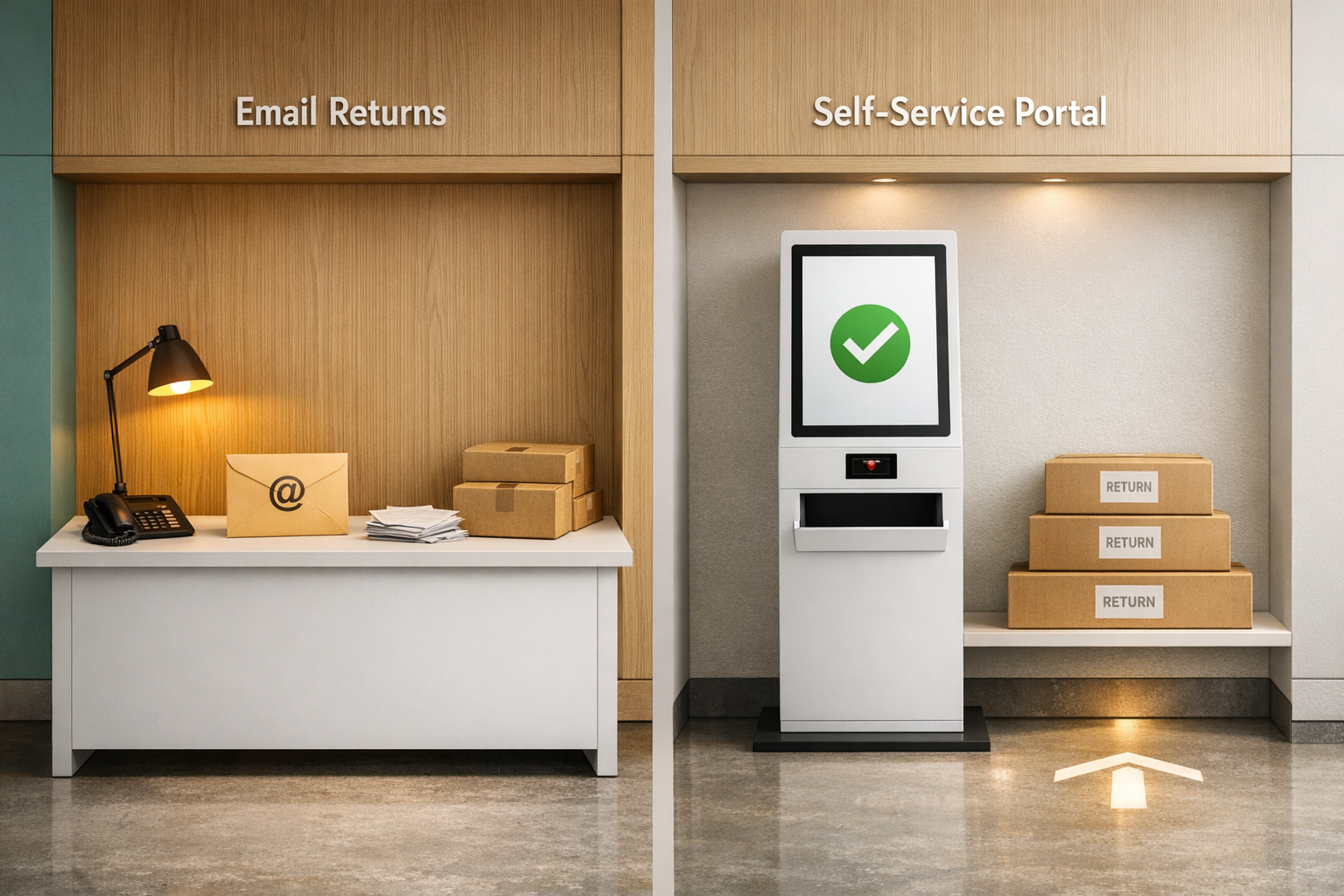
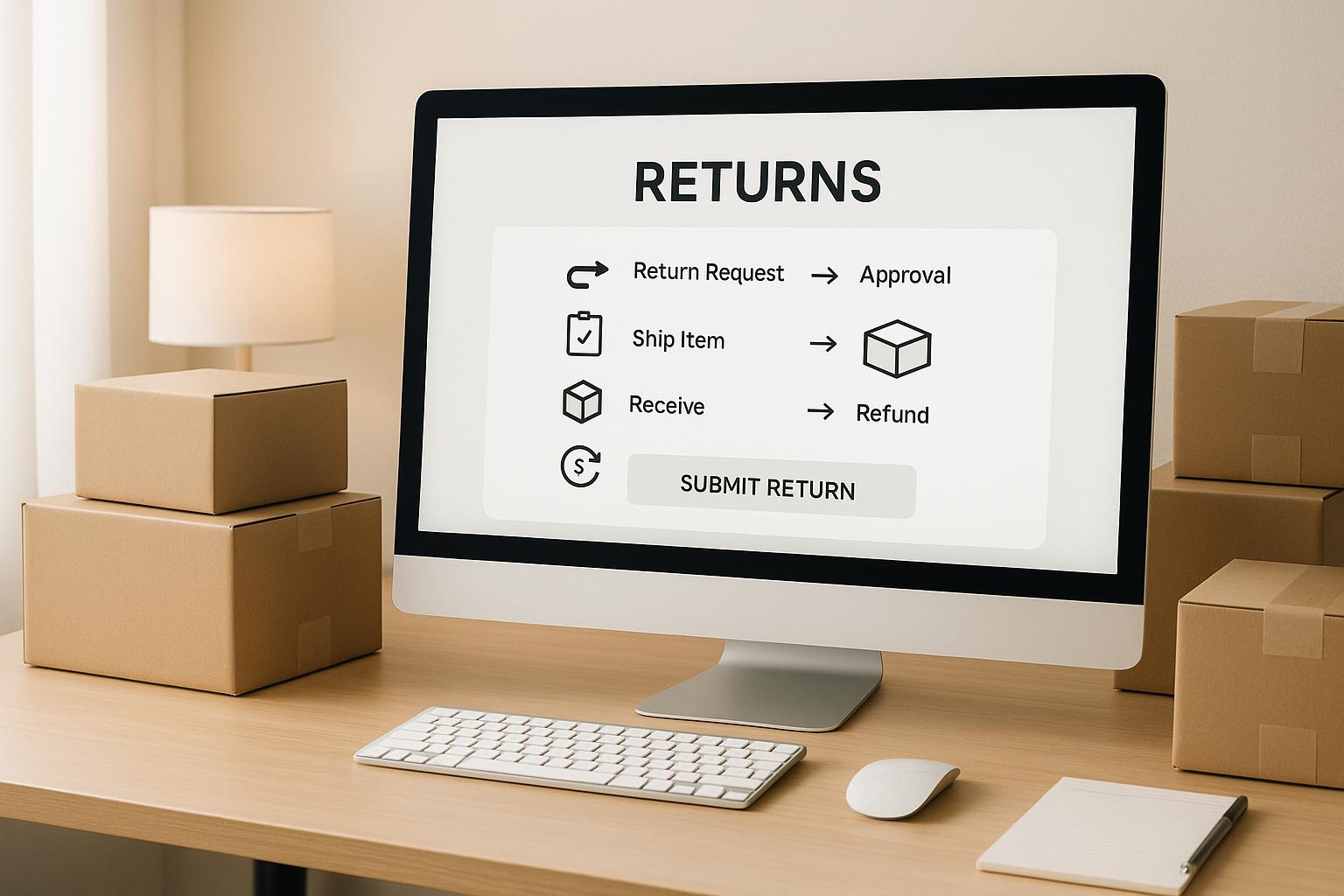
When it comes to ecommerce, returns can either strengthen your business or drain it. A well-designed returns process builds customer trust, improves loyalty, and reduces operational headaches. This checklist breaks down 12 essential elements to optimize your returns system, from clear policies to advanced automation tools. Here's what you need to know:
- Clear Return Policy: Transparency on eligibility, timelines, and refund methods builds trust and reduces disputes.
- Automated Approvals: Save time and cut costs by auto-approving low-risk returns.
- Branded Return Portals: Offer a self-service, professional experience for easier returns.
- Fraud Detection: Use tools like photo verification and return pattern tracking to minimize losses.
- Multi-Carrier Integration: Optimize shipping costs and speed with multiple carrier options.
- Return Analytics: Analyze return reasons to identify product or process improvements.
- Revenue Retention: Encourage store credit, exchanges, or partial refunds to keep revenue within your business.
- Customer Communication: Keep customers informed with real-time updates and clear timelines.
- Automation Platforms: Streamline processes with tools like ForthRoute to manage returns efficiently.
- Label Management: Automate label creation and offer flexible delivery options like QR codes.
- Inventory Integration: Sync returns with inventory updates to avoid overselling.
- Policy Testing: Regularly review and test your policy to improve customer satisfaction and profitability.
These steps will help you handle returns efficiently while boosting customer loyalty and protecting your bottom line.
Ecommerce Returns Best Practices to Save Time and Money
1. Clear Return Policy
A well-thought-out return policy can make or break a sale. In fact, 67% of shoppers check a retailer's return page before completing a purchase, and 80% of consumers factor the return policy into their buying decision. A transparent policy not only eliminates doubts but also builds trust, giving customers the confidence to hit that "buy" button.
Ambiguity or hidden terms can scare buyers away. When customers know exactly what to expect - like which items are returnable, how long they have to return them, and the required condition of the products - they're more likely to complete their purchase. The aim is to answer questions before they even arise.
Define Eligibility and Restrictions
Be specific about what items qualify for returns and under what conditions. For instance, specify that clothing must be unworn with tags still attached or that electronics need to remain in unopened packaging. Clearly mark items as "final sale" if they can’t be returned, such as personalized goods, intimate wear, or clearance items. Outline whether original packaging is required or if items must remain "new" or "unused." If you accept returns on used items but charge a restocking fee, explain the fee and when it applies.
Address special scenarios, like damaged or defective items, to avoid confusion or disputes. If your policy varies by product category, break it down clearly so shoppers can quickly find the relevant details.
Set Return Windows and Refund Timelines
Establish a clear return window - 30 days is a common standard - and explain refund timelines. For instance, credit card refunds might take 5–7 business days, while store credit could be issued immediately. Tailor the return period to your product type. Seasonal items may need shorter windows, while high-value purchases might warrant longer ones.
Let customers know when they can expect their refunds. Be specific: how soon after receiving the returned item will you process the refund, and how many days until it appears in their account? If you offer exchanges, clarify whether these are shipped right away or only after the returned item is received.
Display Policy Prominently
Even the most customer-friendly return policy won’t help if shoppers can’t find it. 77% of European consumers consider a retailer's return policy when deciding where to shop online. One retailer saw a 20% sales increase after emphasizing their free shipping and return policy.
Make your return policy easy to spot. Include it on product pages, checkout screens, and in the website footer. Provide a brief summary in order confirmation emails and FAQs to reinforce key points. Some businesses even use a pop-up or checkbox at checkout to ensure customers acknowledge the policy, reducing disputes later.
Consider creating a dedicated return policy page that's simple to navigate. Use clear language, bold text, and short paragraphs to highlight important details. The more accessible and straightforward your policy is, the more confident shoppers will feel about making a purchase.
With these basics in place, you’ll be ready to move on to automating approval rules - an essential next step in streamlining the returns process.
2. Automated Return Approval Rules
Handling returns manually can slow down the process and increase operational costs. By setting up automated approval rules, you can instantly process qualifying requests, ensuring quicker refunds or exchanges.
The challenge lies in distinguishing between returns that are low risk and can be approved immediately versus those that need further review. For instance, a $15 t-shirt returned within 30 days by a loyal customer carries far less risk than a $500 electronic item returned by someone with a history of frequent returns. Smart automation helps you manage these differences effectively.
Define Low-Risk Scenarios for Automation
Start by identifying situations where the risk of approving a return is minimal. These are the areas where automation can save the most time and resources:
- Automatically approve returns for low-value items (e.g., under a specific dollar amount).
- Use criteria such as product category, customer purchase history, and return timing (e.g., within 14 or 30 days) to flag low-risk returns.
For example, basic apparel and accessories generally come with a lower fraud risk compared to high-ticket items. Similarly, customers with a strong purchase history and minimal prior returns might qualify for auto-approval if they meet specific account tenure or spending thresholds.
Use Conditional Logic for More Refined Rules
Adding layers of conditional logic allows you to create more tailored workflows that adapt to various scenarios.
For instance, you could set up rules to auto-approve returns if the product type is clothing, the order value is under $100, the return request is within a 30-day window, and the customer has a clean return history. If any of these conditions aren’t met, the system can flag the request for manual review.
You can also factor in details like geographic location. For example, domestic returns might be approved automatically, while international ones are flagged due to higher shipping costs or longer transit times. Similarly, if you work with multiple suppliers or use dropshipping, you may need to verify item eligibility before granting auto-approval.
Fine-tuning these rules is key. Regularly review return patterns, identify any issues with auto-approved returns, and adjust your criteria accordingly. These steps will make your automated system more reliable and ready for deeper integration with your Shopify store.
Enhance Automation with Shopify Tools

Shopify offers built-in return rules that help define eligibility, including return windows and restocking fees.
You can configure return windows (e.g., 14, 30, or 90 days), decide how return shipping costs will be handled (free, flat rate, or customer-paid), and set restocking fees as a percentage of the return. You can also mark specific products or collections as final sale to block return requests.
However, Shopify’s self-serve returns still require manual approval by your team. While these rules determine which items are eligible for returns, they don’t fully automate the approval process.
For Shopify Plus users, Shopify Flow adds some automation by tagging customers with frequent returns, flagging high-risk orders, or sending notifications based on return reasons. But even this tool doesn’t provide complete automation for return approvals.
To fully automate the process, you’ll need third-party return management apps from the Shopify App Store. These apps evaluate return requests based on your configured rules - factors like return window, product tags, product type, vendor, order status, order value, and customer history - and can auto-approve them without manual intervention. Many of these apps also offer features like branded portals, automatic inventory updates, prepaid labels, and flexible refund options. They integrate seamlessly with your Shopify store and usually require no coding to set up.
3. Branded Return Portal
A branded return portal can turn what’s often a frustrating process into a smooth, professional experience. Instead of relying on email exchanges or generic forms, customers get a dedicated space to manage returns on their own terms - while staying connected to your brand.
One major perk? Fewer support tickets. When customers can handle returns themselves - choosing reasons, printing labels, and more - your team spends less time fielding basic questions like, “How do I return this?” or “When will I get my refund?” That means more time to focus on solving complex issues.
But it’s not just about efficiency. A well-crafted portal reinforces trust during a sensitive moment. Returns often come with disappointment or concern over refunds. A polished, branded experience reassures customers that your business is organized and dependable. This can be the difference between a one-time buyer and someone who comes back again and again.
Provide Self-Service Capabilities
The heart of a return portal lies in empowering customers with control. They should be able to log in, pick the order they want to return, select specific items, provide a reason, and instantly generate a prepaid shipping label - all without needing help from your team.
Keep the interface straightforward. Once logged in, customers should see their recent orders with clear options for initiating a return. From there, the portal should guide them step-by-step: deciding between a refund, exchange, or store credit; selecting a return reason from a dropdown menu; and downloading or emailing the shipping label. Some systems even let customers schedule a pickup if integrated with compatible carriers.
The goal here is speed and clarity. Customers want to know what to do, how long it’ll take, and when they’ll get their refund or replacement. A good portal answers these questions upfront, showing estimated timelines and providing tracking details as soon as the return is shipped.
This smooth process not only empowers customers but also strengthens the overall brand experience.
Enhance Customer Experience
Efficiency is just the starting point. A seamless, branded portal elevates the customer experience and leaves a lasting impression.
A generic return page feels disconnected and can make returns seem like an afterthought. On the other hand, a portal that mirrors your brand - complete with your logo, familiar design elements, and the same tone of voice - creates consistency. It reminds customers they’re still dealing with the same business they trusted enough to buy from.
Customization can go a step further. Use the portal to share your brand’s values. For instance, highlight sustainability efforts by explaining how returned items are inspected and resold. Emphasize hassle-free returns to showcase your commitment to customer satisfaction. Or share how return feedback helps improve your products. These small details can transform a routine process into a meaningful interaction with your brand.
Don’t forget about mobile optimization. Many customers start returns from their phones, often right after opening a package. A poorly designed mobile interface can create unnecessary friction. Make sure buttons are easy to tap, forms are simple to complete, and shipping labels can be downloaded or emailed without a hitch.
Integrate with Real-Time Notifications
Keeping customers informed throughout the return process is key to maintaining a positive experience.
Real-time updates remove uncertainty by letting customers know exactly where they stand. Email notifications are the standard, but SMS updates are gaining traction for time-sensitive alerts. For example, you could send an email when the return is approved and follow up with a text when the refund is processed. Offering multiple communication channels ensures customers stay in the loop in a way that works for them.
Notifications should cover every step of the return journey: when the request is received, when the shipping label is generated, when the package is in transit, when it arrives at your warehouse, and when the refund or exchange is issued. Each update should include relevant details like tracking numbers, expected timelines, and any next steps.
Transparency is especially important if something goes wrong. If an item doesn’t meet return criteria, for example, the notification should explain why and outline the customer’s options. Proactive updates reduce the need for follow-up inquiries and keep customers reassured.
Some portals even offer a tracking page where customers can log in to check the status of their return at any time. This is especially useful for exchanges, as customers often want to know when their replacement item will ship. Offering this level of visibility can ease concerns and build trust, even if there are delays along the way.
4. Fraud Detection and Prevention
Return fraud is a significant challenge for ecommerce businesses, draining revenue through schemes like wardrobing, empty box returns, and product swapping. To combat this, you need safeguards that can identify suspicious activity without complicating the process for legitimate returns. These efforts should work hand-in-hand with the automated approval rules you’ve already put in place.
Use Photo Verification
One straightforward way to reduce fraud is by requiring customers to upload photos during the return process. This extra step not only adds a layer of security but also helps verify claims, especially for damaged or defective items. Visual evidence can confirm the issue before a return is approved.
For example, if a customer claims an item arrived damaged, the return portal can prompt them to upload photos showing the problem. Ask for multiple angles - such as close-ups of the damage, a full view of the product, and its packaging. This creates a visual record that can be referenced later. Photo evidence discourages fraudulent claims while holding both the customer and your business accountable.
Photo verification also speeds up decision-making. If someone claims an item is stained but the photos show otherwise, that’s a red flag. Additionally, for high-value items, you might make photo verification a standard requirement, regardless of the reason for the return, to ensure consistency and reduce risks.
To keep the process user-friendly, integrate the photo upload feature directly into your return portal. This way, customers can quickly snap and submit images using their smartphones.
Track Return Patterns
Sometimes fraud isn’t obvious from a single return - it’s the pattern over time that reveals a problem. For instance, a customer might frequently return items after using them, order multiple sizes with the intention of keeping one, or repeatedly claim that packages didn’t arrive.
To spot these trends, monitor key data like return frequency and reasons. A customer with a high rate of returns or recurring excuses like "didn't fit" may warrant closer examination.
Geographic patterns can also be telling. Multiple returns from the same address under different names or spikes in returns after certain events might signal organized fraud. Automated systems can help by flagging accounts with unusual activity, such as a cluster of returns in a short period. For flagged accounts, you might require additional verification steps, like photo uploads or delays before issuing refunds.
Delay Refunds Until Inspection
Issuing refunds immediately after a return is dropped off can expose your business to fraud. There’s always a chance the returned item doesn’t match the customer’s claim or fails to meet your return policy.
Instead, delay refunds until the returned merchandise has been inspected. This allows you to confirm the item’s condition and verify that it aligns with any submitted photos. Make sure inspections are completed promptly - within a few business days - to avoid frustrating genuine customers.
Be transparent about this process in your return policy, so customers know what to expect. For lower-risk situations - like inexpensive items or returns from customers with a strong track record - you might offer faster refunds. But for high-value items or accounts with unusual return patterns, a delay is a smart precaution.
If an inspection reveals discrepancies, such as damage that doesn’t match the customer’s claim or the wrong product being returned, document the issue with photos and contact the customer for clarification. Whether it’s an honest mistake or intentional fraud, keeping detailed records ensures a fair resolution and provides evidence if further action is needed.
Inspections also help identify quality issues before products are added back to your inventory. For items with minor damage, you can explore alternative options, like selling them as open-box or refurbished goods.
5. Multi-Carrier Shipping Integration
After setting up automated approvals and branded portals, the next step in refining your Shopify returns process is integrating multiple shipping carriers. This approach simplifies logistics and gives you flexibility in managing returns, ensuring speed, cost-effectiveness, and reliability.
Handling returns shipping can get tricky - different situations call for different solutions. By working with multiple carriers, you can pick the best option for each return, all while keeping expenses in check. Plus, integrating carriers into your system centralizes everything, from label creation to tracking, cutting down on errors and speeding up the process.
Automate Label Generation
Manually creating return labels is not only tedious but also leaves room for mistakes. Instead, your system should automatically generate shipping labels as soon as a return is initiated. The label can be tailored based on the customer’s location, the product being returned, and your preferred carrier. This eliminates back-and-forth communication and makes the process seamless.
With automation, customer details like name, address, and order number are used to create labels that meet the specific requirements of your chosen carrier. Whether it’s a printable PDF or a QR code for in-store scanning, the system ensures labels are formatted correctly and include tracking details. This minimizes the risk of rejected labels or lost packages, while also linking the label to the return record for easy tracking.
For customers without access to a printer, QR codes are a game-changer. They can simply present the code at a drop-off location, where the carrier will print the label for them. This small convenience can make a big difference in getting customers to complete their returns.
Offer Prepaid Shipping Options
Prepaid shipping labels are a great way to remove obstacles and encourage customers to follow through with their returns. With a prepaid label, customers just attach it to their package and drop it off - no extra steps required. This ease of use often leads to higher return completion rates and happier customers.
While you’re covering the shipping cost upfront, you’ll likely see fewer abandoned returns and fewer customer service inquiries. Plus, a smooth return process can go a long way in building loyalty. To manage expenses, you can set specific rules, like offering free prepaid labels only for defective or high-value items, while charging a small fee for returns due to buyer’s remorse. Alternatively, you can deduct the shipping cost from the refund, making the terms clear from the start.
Prepaid labels also give you better visibility into return costs. Since you’re paying carriers directly through your integrated system, all shipping expenses are tracked in one place. This makes it easier to analyze trends and negotiate better rates with carriers.
Optimize Carrier Selection
Shipping needs aren’t one-size-fits-all. Some carriers might offer better rates or faster service depending on the package size, weight, and destination. Rate-shopping tools can compare options and automatically pick the most cost-effective carrier while balancing delivery speed.
Service levels matter too. For high-value or time-sensitive returns, you might prioritize faster shipping, even at a higher cost. For less expensive items, slower ground shipping could be just fine. Automated systems can apply these rules based on your criteria, ensuring every return is handled appropriately.
Geography can also play a role. Certain carriers might perform better in specific regions, offering quicker delivery times and fewer delays. If you notice trends - like one carrier consistently excelling on the West Coast - you can adjust your rules to take advantage of their strengths.
Beyond individual shipments, multi-carrier integration gives you bargaining power. Carriers know they’re competing for your business, which can lead to better rates and terms. You can also shift volume between carriers based on their performance, rewarding those that meet your standards for timeliness and care.
6. Return Reason Analytics
Digging into why customers return items can turn raw data into meaningful insights that highlight trends in customer choices, product issues, and logistical hiccups. For instance, 65% of returns stem from customer selection reasons like "Changed my mind" or "Doesn't fit". Meanwhile, 13% of returns are tied to catalog issues, such as items being "Not as described/expected". Lastly, 9% of returns result from product or delivery problems, such as damaged goods or incorrect shipments. Understanding these reasons isn't just helpful - it’s essential for prioritizing the right fixes.
Categorize Return Reasons
To make sense of return data, it’s important to group return reasons into clear, standardized categories. This makes reporting cleaner and trend analysis more effective. Here’s a simple way to organize them:
- Customer Selection or Preference: Reasons like "Changed my mind" or "Doesn't fit."
- Product-Related Issues: Includes "Not as described/expected."
- Fulfillment or Logistics Errors: Examples include "Arrived damaged", "Arrived late", or "Wrong item shipped."
By sticking to consistent categories, you’ll uncover patterns more easily and ensure your data stays organized over time.
Track Metrics and KPIs
Breaking down your return rate by these categories can reveal where improvements are needed most. Monitoring key performance indicators (KPIs) for each category helps you spot shifts in customer behavior and measure the results of any changes you make. These metrics are your roadmap for operational tweaks.
Use Insights for Process Improvements
Consistently reviewing return data allows you to identify recurring problems. Whether it’s addressing product descriptions, improving packaging, or refining shipping processes, these insights guide smarter, targeted improvements.
sbb-itb-a3e286c
7. Refund and Revenue Retention Strategies
Once you've streamlined your returns and shipping process, it's time to focus on strategies that help keep revenue flowing, even when refunds are unavoidable.
A return doesn't have to mean lost revenue. By offering fair and convenient alternatives, you can keep your customers happy while retaining value within your business.
Encourage Store Credit
Store credit is a great way to maintain revenue from returns. Instead of refunding the original payment, you keep the money circulating within your brand's ecosystem. Many customers are open to this, especially if there's an added perk.
Consider offering a small bonus incentive for choosing store credit over a traditional refund. For instance, if a customer returns an item worth $50, you could offer $55 in store credit. This extra value encourages customers to shop with you again, while costing less than acquiring a new customer. It's a simple way to turn a return into an opportunity.
Make sure the store credit is easy to use at checkout, has minimal restrictions, and works with ongoing promotions. Offering it as the default option can also increase adoption rates.
Offer Product Exchanges
Exchanges are another way to meet customer needs while keeping the transaction alive. If an item doesn't fit or meet expectations, an exchange provides a straightforward solution without requiring the customer to start over.
The key is to make the process as smooth as possible. Allow customers to select their replacement item during the return process, and consider shipping the new product before the returned one arrives. While this approach carries some risk, it's often worth it for loyal customers with a solid purchase history, as it significantly improves their experience.
Exchanges also create opportunities for upselling or cross-selling. For example, if a customer is exchanging a shirt, your system could suggest a similar style, a different size, or even complementary products. This not only solves their immediate issue but also has the potential to increase your average order value.
Implement Partial Refund Options
For items with minor defects, a partial refund can be an effective solution. It allows customers to keep the product at a reduced price, saving you the costs associated with a full return.
Transparency is essential here. Clearly explain the discount and the reason behind it. For example, if a product has a small scratch, you might offer a 10-20% refund, while damaged packaging with a fully functional item might warrant a 5-10% discount. This approach works particularly well for items that are expensive or difficult to return, such as furniture, heavy equipment, or international shipments. In many cases, the cost of return shipping outweighs the defect, making a partial refund a practical choice for everyone.
This strategy also helps with restocking challenges. Products that have been opened, lightly used, or lack original packaging can be hard to resell at full price. By offering a partial refund, you avoid adding these items to your returns inventory and sidestep the markdowns you'd need to apply later. This is especially useful during busy seasons when warehouse space is tight, and quick processing is crucial.
8. Customer Communication Systems
Good communication can turn a potentially frustrating returns process into an opportunity to build trust. Just like automated workflows and fraud prevention, clear communication is a key part of making returns hassle-free.
A reliable communication system keeps customers informed throughout the return process. This transparency reduces the flood of "Where's my refund?" questions while building trust. When customers know exactly what’s happening and when, they’re more likely to shop with you again.
Send Status Updates
Automated updates are a must for keeping customers informed without overloading your support team. These updates should be sent at key points in the return process to reassure customers that everything is moving along smoothly.
- Confirm the return request: As soon as a customer initiates a return, send a confirmation email with an authorization number, item details, and clear next steps, like printing a shipping label.
- Notify when the package is in transit: Include a tracking number and a direct link to the carrier’s tracking page. This reduces "Did you get my package?" emails by letting customers check for themselves.
- Update when the package is received: Let customers know their return has arrived at your warehouse and is being inspected. Provide an estimated timeline for the inspection and notify them immediately if there are any issues that might affect their refund.
- Confirm the refund or credit: Once the refund is processed or store credit is issued, send a final update. Be specific about the amount and when they can expect to see it reflected on their payment method. For example, credit card refunds might take 3-5 business days, while debit card refunds could take 5-10 business days.
By proactively keeping customers informed, you reduce confusion and support inquiries while reinforcing the smooth operations discussed earlier.
Set Clear Expectations
Unclear timelines or criteria can frustrate customers, but upfront communication eliminates that uncertainty.
From the start, let customers know what to expect. Your return confirmation email should outline the entire process, step by step. Be realistic with your timelines - don’t promise what you can’t deliver. For example, if shipping typically takes 5-7 days and inspections require 3 business days, make that clear. It’s always better to exceed expectations than to disappoint.
Be honest about your inspection process. If you’re checking for things like wear, missing accessories, or damage, let customers know upfront. This helps them assess their items before shipping them back and prevents disputes later. For instance, if you won’t accept items with removed tags, make that rule clear before they even print the shipping label.
Explain your refund method in detail. Will refunds go back to the original payment method, or is store credit the only option in some cases? If there are restocking fees or return shipping costs, state those amounts clearly. Customers appreciate knowing exactly how much they’ll get back instead of being surprised by unexpected deductions.
For returns involving international orders or special handling, provide extra details. Let customers know if customs might add 7-14 days to the process or if oversized items need to be returned via freight carrier. Being upfront about these specifics avoids confusion later.
Establish Multiple Channels
Offering multiple support channels - like email, live chat, and phone - ensures customers can get help quickly when they need it. This multi-channel approach complements self-service tools like a branded return portal.
- Email: This is great for non-urgent questions and creates a clear paper trail. Set up a dedicated returns email address and use auto-responders to acknowledge inquiries, promising a response within 24 hours for most cases.
- Live chat: Perfect for quick questions, like finding an order number or troubleshooting return portal issues. A chat widget on your returns page can resolve problems in minutes. Even if you use chatbots for initial responses, always provide an option to connect with a human for more complex issues.
- Phone support: Best for high-value or complicated returns. Make your support number easy to find and train your team to handle return inquiries efficiently. They should have access to order history, return status, and the ability to make exceptions when needed.
Self-service options are also essential. A detailed FAQ section, video tutorials for common return scenarios, and an order tracking portal let customers find answers on their own. Regularly update these resources based on common questions and concerns.
Consistency is key across all channels. Customers should get the same answers whether they email, chat, or call. Use a centralized system where agents can access the full history of a return, including past communications and any special arrangements.
Finally, be clear about response times. If live chat is available Monday through Friday, 9 AM to 6 PM EST, display those hours prominently. If email responses take 24-48 hours, let customers know. Setting these expectations upfront reduces frustration and prevents follow-up inquiries.
9. ForthRoute Returns Automation Platform
Simplify your return process with ForthRoute, a platform designed to bring all your returns management tools - like portals, shipping labels, analytics, and customer communications - into one place. This system automates returns, grows alongside your business, and cuts down on manual work.
Whether you’re handling a small number of returns or managing a high volume, ForthRoute adjusts to fit your operations, freeing you up to focus on scaling your business. Here’s a closer look at its standout features, all seamlessly integrated with Shopify.
One-Click Shopify Integration
ForthRoute connects to Shopify with just one click, syncing your product catalog, order history, and customer data instantly. This integration ensures that key order details are always available when a return is initiated. Plus, updates like order statuses and inventory levels stay consistent between Shopify and ForthRoute.
For Shopify Plus merchants managing multiple storefronts, ForthRoute makes life easier by offering centralized control. You can set up unique return policies, shipping options, and approval rules for each store - all from a single dashboard.
AI-Powered Exchange Suggestions
Returns don’t have to mean lost revenue. ForthRoute’s AI-powered exchange feature suggests alternative products to customers during the return process. These recommendations are tailored to encourage exchanges, helping you retain sales while keeping customers happy.
You can customize these suggestions to align with your business goals, ensuring the alternatives fit seamlessly into your product strategy.
Advanced Analytics and Reporting
Beyond managing returns, ForthRoute provides powerful analytics to help you improve your processes. Its dashboard offers insights into return trends, common reasons for returns, and processing times. Armed with this data, you can make informed decisions - like adjusting product descriptions, updating sizing charts, or addressing fulfillment issues.
Track your performance over time and easily export data for deeper analysis. Instead of just handling returns, use these insights to tackle the root causes and enhance your overall operations.
10. Return Label Management System
Having a well-organized return label management system can make the return shipping process much smoother. Instead of manually creating labels for every return, an automated system takes care of everything - from generating labels to tracking costs and offering delivery in various formats.
This kind of automation not only saves time but also helps control shipping expenses while giving customers a hassle-free return experience. When labels are generated instantly and delivered in the preferred format, it simplifies the entire process. These features build on earlier automation efforts by adding precise cost control and flexible delivery options.
Automated Label Generation
The most effective return label systems automatically generate shipping labels as soon as a customer initiates a return. This process often works alongside the Return Merchandise Authorization (RMA), ensuring customers receive everything they need in one step.
Advanced systems go a step further by analyzing the customer’s location and the product details to determine the best shipping route. For example, if your business has multiple warehouses across the U.S., the system can direct a return from a California customer to your West Coast facility, avoiding unnecessary cross-country shipping.
You can also set rules to decide whether customers get free or paid return labels. These rules might consider factors like the order value, the customer’s loyalty status, or the reason for the return. For instance, a customer returning a defective item could automatically receive a prepaid label, while someone returning an item because they changed their mind might need to cover the shipping cost.
By cutting out manual steps, this approach not only speeds up the process but also reduces the workload for your customer service team.
Track Label Usage and Costs
Shipping costs can quickly eat into your profits if left unchecked. A reliable label management system gives you visibility into which labels are being used and how much they cost.
This tracking capability helps identify cost-saving opportunities. For instance, you might find that certain carriers consistently offer lower rates for specific routes, or that encouraging customers to drop off packages instead of scheduling pickups can save money. With modern systems offering integrations with over 80 carriers, you can compare costs and automatically select the most economical option based on the customer’s location.
The system should also allow you to customize return processing fees based on criteria like the number of items being returned, the customer’s purchase history, or their chosen return method. For example, a VIP customer returning one item might get free shipping, while a first-time buyer returning multiple items could be charged a small fee.
By automating carrier selection and label generation, you can lower the cost per return without compromising service quality.
Support Multiple Label Formats
Customers have different needs when it comes to return labels. Some prefer to print labels at home, while others may not have access to a printer. A good label management system should accommodate all these preferences, ensuring returns are as easy as possible.
- Email and portal delivery: Customers can receive a PDF label via email or download it from your return portal, print it, and attach it to their package.
- Printerless returns with QR codes: This option has gained popularity. Customers receive a QR code on their phone, which they can show at a carrier drop-off location. The staff scans the code and prints the label for them.
- Drop-off at local locations: For added convenience, customers can drop off packages at nearby retail stores, shipping centers, or lockers without waiting at home.
- Home pickup by a carrier: Ideal for bulky items or those who prefer not to leave home, this option allows carriers to collect packages directly from the customer’s doorstep.
These flexible label options enhance the overall returns process, making it easier for customers and aligning with broader automation efforts.
11. Inventory Management Integration
When customers return products, it's crucial to update your inventory system immediately. Without proper integration, you could accidentally oversell items that aren't truly available, leading to frustrated customers and canceled orders. A well-synced inventory management system tracks every returned item - from the moment the return starts to when it’s inspected and ready for resale. This approach minimizes errors and ensures you’re getting the most value from returned goods.
Integrating your returns process with inventory management also involves close coordination with warehouses, third-party logistics (3PL) providers, and quality control teams. Together, these systems and teams ensure returns are processed quickly and accurately. Below, we’ll explore how to keep stock updated in real time, work seamlessly with 3PL partners, and flag items for inspection.
Update Stock Levels in Real-Time
As soon as a customer initiates a return, your inventory system should reflect that change. Real-time updates are essential to avoid overselling, ensuring products aren’t marked as available when they’re not physically in stock. Once a return is approved, the system should temporarily adjust inventory levels to account for the incoming product. After inspection, the item can then be marked as "available" for resale.
Automating these updates helps you make quick decisions about returned items. For example, you can allocate goods more efficiently or alert purchasing teams if stock levels dip too low. This integration keeps inventory numbers accurate across all sales channels, allowing your customer service team to confidently share up-to-date product availability information.
Coordinate with 3PL Partners
If you rely on third-party logistics providers for warehousing and fulfillment, it’s important to loop them into the returns process the moment a return is initiated. Immediate notifications give your 3PL partners time to prepare for receiving and processing the item. For instance, a defective product can be routed directly to an inspection area, while an exchange due to sizing can head straight to processing.
By syncing with 3PL systems, you can also ensure inventory counts stay consistent across multiple locations. Returns can be sent to the nearest facility, cutting down on shipping costs and speeding up the restocking process. Detailed item condition data further helps decide whether products should be restocked, refurbished, returned to the vendor, or disposed of.
Flag Items for Quality Inspection
Not every returned item is ready to go back on the shelf. Each product needs to be inspected to ensure it’s in good condition for resale. Your system should automatically route returned items to an inspection queue based on specific criteria. Items returned due to damage or defects, for example, require thorough quality checks, while even simple returns - like a size mismatch - benefit from a quick review to confirm sellability.
Mark returned items as "pending inspection" when they arrive and update their status to "available" only after passing quality control. If an item doesn’t meet standards, it should be flagged for refurbishment, vendor return, or disposal, with the inventory system reflecting its final status. This process not only safeguards your brand’s reputation but also provides valuable insights into product quality while keeping storage costs in check.
12. Return Policy Testing and Optimization
Your return policy shouldn't be static - it needs to grow and evolve alongside changing markets and customer expectations. By treating it as a flexible tool that you regularly test, tweak, and improve, you can strike a balance between protecting your business and keeping your customers happy. Using data, customer feedback, and experiments, you can fine-tune your policy to boost satisfaction and profitability.
A well-thought-out return policy is more than just a formality; it's a strategic asset. Successful ecommerce businesses constantly monitor how policy updates impact return rates, customer loyalty, and overall profits. This continuous cycle of testing and refining ensures your policy stays effective and aligned with your goals.
A/B Test Policy Changes
Before rolling out changes across your entire site, test them with a smaller audience first. A/B testing lets you compare different versions of your policy to see how they affect key metrics. For example, you could test a 30-day return window against a 60-day option or experiment with different refund methods.
Start by choosing one aspect of your policy to test. Split your audience into two groups: one follows the current policy, and the other experiences the test variation. Run the test for at least 30 days to collect enough data for meaningful insights. Track metrics like return rates, conversion rates, average order value, and customer lifetime value to get a full picture of the impact.
Be prepared for surprises. Sometimes, a more flexible policy can actually lower return rates because customers feel more confident buying when they know they have options. On the other hand, longer return windows might increase returns but also drive higher initial sales, making up for the difference. The key is to analyze the results holistically, not just one metric in isolation.
Gather Customer Feedback
While data shows you the "what", customer feedback uncovers the "why." After customers complete a return, ask them about their experience through short surveys or follow-up emails. Keep the questions focused - cover topics like how easy the process was, whether the policy was clear, and if they felt it was fair.
Look for recurring themes in the feedback. If customers frequently mention confusion about return windows or struggle to locate your policy, those are areas to address. Pay extra attention to feedback from people who abandoned their purchase due to your return policy - it’s a goldmine for understanding potential roadblocks.
Use multiple feedback channels to capture insights at various points. Post-return surveys provide immediate impressions, while interactions with customer service can highlight frustrations in real time. Social media comments and product reviews often include unsolicited feedback about return experiences, which can be incredibly revealing. Combine all this input to pinpoint common issues and prioritize updates.
Review Performance Quarterly
Make it a habit to review your return policy’s performance every quarter. This regular check-in helps you spot trends without overreacting to short-term changes. During each review, analyze metrics like overall return rates, return rates by product category, average processing time, refund versus exchange ratios, and the financial impact on your bottom line.
Compare the current quarter’s data with previous periods to identify patterns. A gradual rise in return rates might point to product quality problems, unclear sizing, or misleading descriptions. Seasonal spikes - like post-holiday returns - are normal, but watch for consistent issues that signal deeper problems needing attention.
Use these quarterly reviews to align your return policy with your business objectives. If your goal is customer acquisition, a more lenient policy might help, even if it temporarily raises return rates. Conversely, if profitability is your focus, consider tightening certain aspects while keeping customer-friendly features that don’t hurt margins. Document your findings and decisions to build a knowledge base about what works for your business. Over time, these insights will help you refine not just your return policy but the entire returns process, ensuring consistency and efficiency across all touchpoints.
Conclusion
Handling ecommerce returns doesn’t have to be a headache. With the right approach, you can transform returns into an opportunity to strengthen customer loyalty and protect your bottom line. By implementing the 12 key strategies we’ve outlined, you can turn this often-dreaded process into a well-oiled system that works for both your business and your customers.
The foundation of a great returns process starts with a clear return policy. It sets expectations, builds trust, and reduces confusion. From there, use tools like automated approvals and a branded returns portal to cut down on manual tasks and give customers more control. Don’t forget to safeguard your operations with fraud detection systems and multi-carrier shipping integrations - these tools strike the perfect balance between security and convenience.
Data is your secret weapon. Return reason analytics can uncover patterns and help you make smarter decisions, while revenue retention strategies like offering store credit or easy exchanges keep more dollars in your business. Clear and consistent customer communication ensures shoppers stay informed, turning what could be a negative experience into a positive one. Together, these elements create a seamless returns process that integrates smoothly with your existing systems.
Technology plays a huge role in making this possible. A strong platform for label generation, inventory updates, and order tracking ensures nothing gets missed. Regularly testing and tweaking your return policy keeps it relevant and effective, allowing you to adapt to changing customer needs and business goals.
Whether you’re handling a handful of returns or thousands each month, focusing on these strategies can help you save time, cut costs, and encourage repeat purchases. Start by tackling your biggest pain points, then build on that foundation for continuous improvement. A streamlined returns process doesn’t just resolve problems - it improves customer loyalty and drives long-term profitability.
FAQs
How does a branded return portal enhance customer experience and reduce support requests?
A branded return portal makes life easier for customers by providing a simple, self-service way to start and track returns. It gives them the control to handle returns on their own, cutting down on frustration and eliminating long wait times.
For businesses, automating the returns process can lead to a noticeable drop in support inquiries. With everything - return instructions, shipping labels, and status updates - available in one convenient spot, the process becomes smoother for customers while your support team can shift their attention to more complicated tasks.
How can ecommerce businesses retain revenue while handling returns?
To keep revenue flowing during the returns process, think about offering exchanges, store credit, or incentives that nudge customers toward store credit instead of refunds. For instance, you could add a small bonus or discount to make store credit a more attractive choice.
Encouraging exchanges is another smart approach. When you make it simple for customers to trade their items for something they’ll enjoy more, you not only preserve sales but also boost customer satisfaction. The key to success here lies in clear communication and creating a hassle-free return experience that customers appreciate.
How can using multiple carriers improve the return shipping process and reduce costs?
Integrating multiple carriers into your return shipping process gives you the freedom to pick the best option for each return. Whether it’s based on location, package size, or delivery speed, this approach helps you keep shipping costs in check while ensuring your customers enjoy a smooth and reliable experience.
With multi-carrier integration, you can also automate tasks like generating labels and tracking returns in real time. Plus, you can offer customers flexible drop-off or pickup options. These features simplify your operations and make the return process easier for customers, boosting their overall satisfaction.