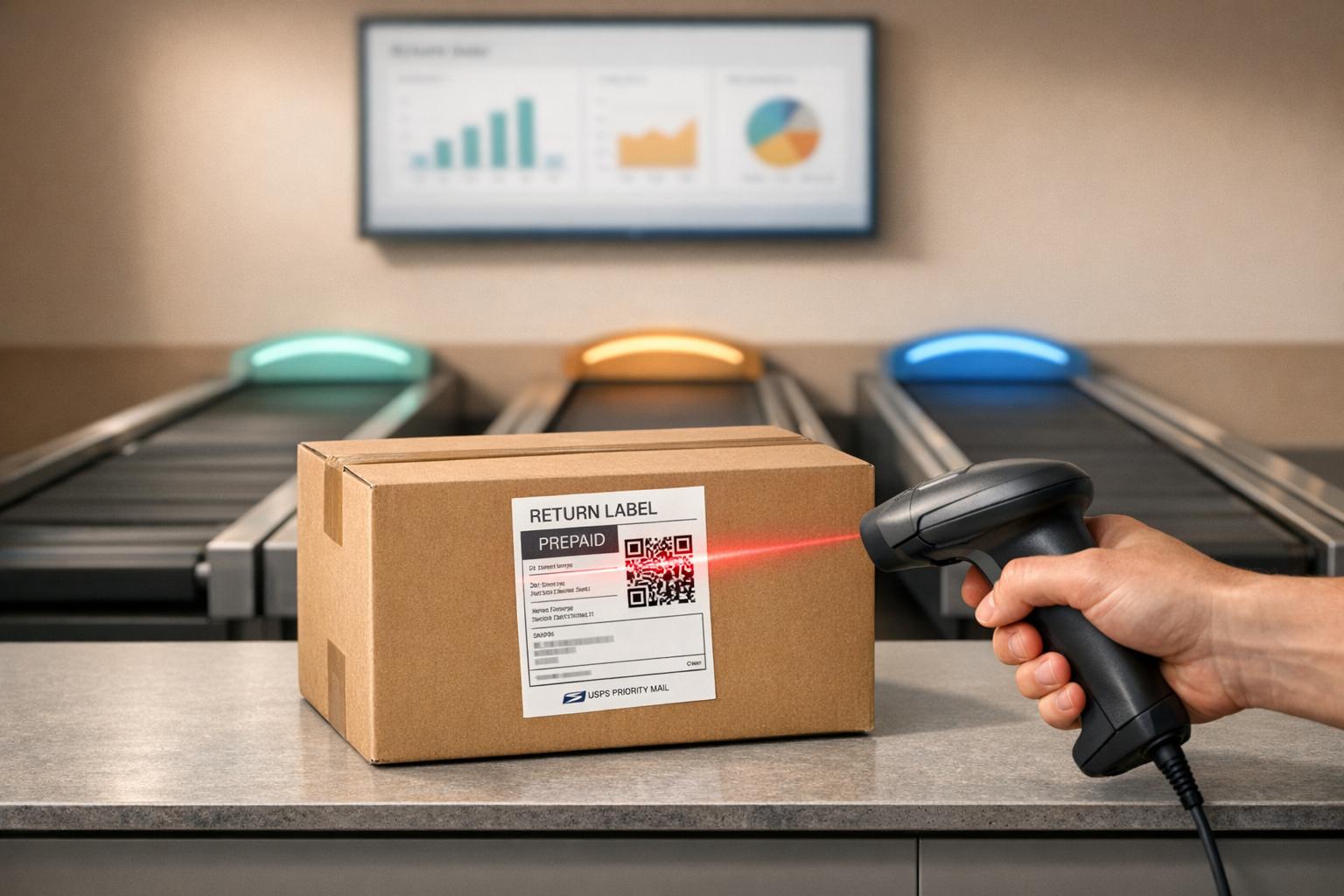
Automating returns with a 3PL API can save time, cut costs, and improve customer satisfaction. Manual returns in Shopify are resource-intensive and slow, especially with return rates averaging 16.9% in 2024. A 3PL API streamlines the process by automating approvals, generating shipping labels, and syncing inventory in real-time. This reduces manual tasks, retains revenue through exchanges or store credit, and enhances the overall experience for customers.
Key takeaways:
- Automate returns to reduce manual work and speed up processing.
- Use self-service portals for customer convenience.
- Set clear goals like minimizing refunds and prioritizing exchanges.
- Choose a 3PL provider with strong API capabilities, including real-time webhooks and two-way data syncing.
- Test your integration thoroughly before scaling to handle higher return volumes.
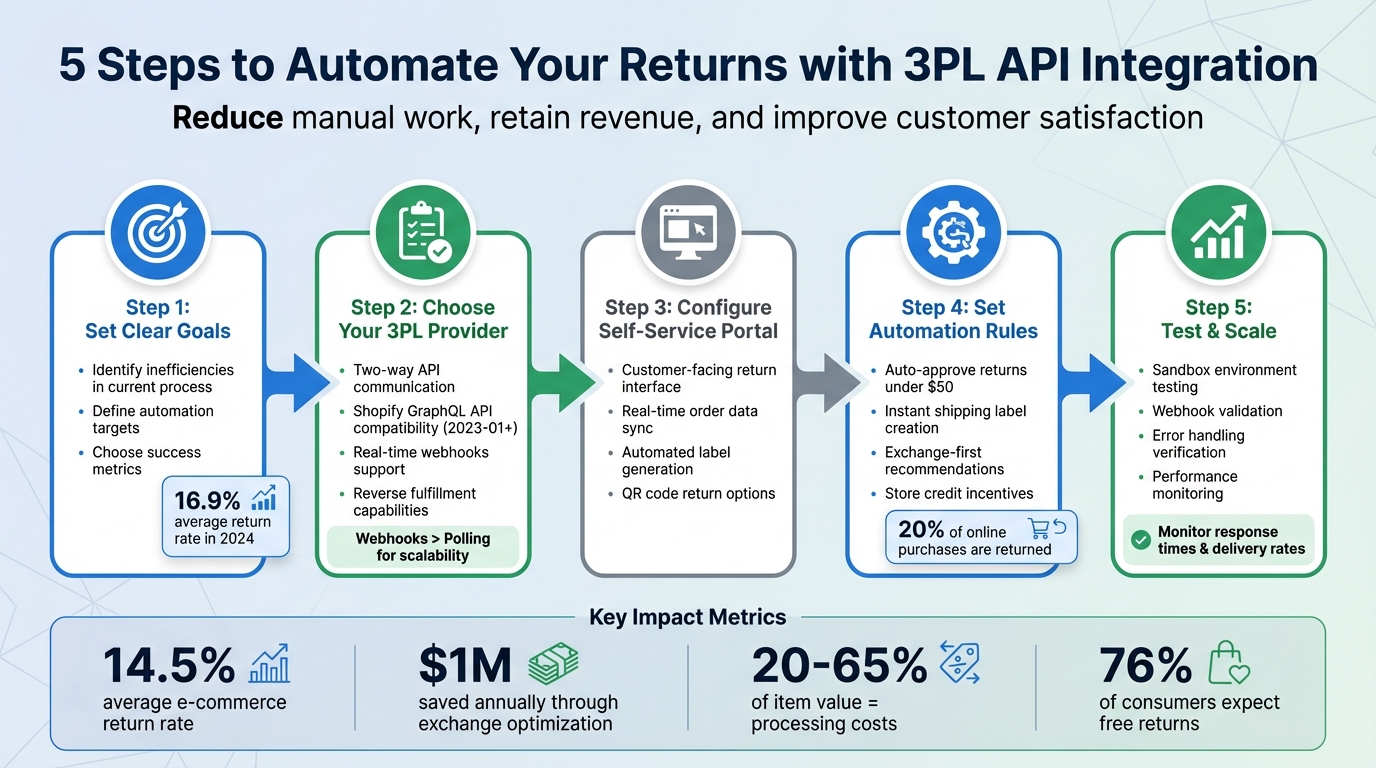
5-Step 3PL API Returns Integration Process for Shopify Stores
Introduction to integrations in Ongoing WMS
Setting Clear Goals for Your Returns API Integration
Before linking your 3PL API to Shopify, it’s crucial to define your objectives. Most successful returns integrations aim to achieve three key goals: cutting down on manual tasks, keeping more revenue within your business, and improving the overall customer experience.
Start by identifying inefficiencies in your current returns process. Success can often be measured by how much you can automate tasks like return approvals and label generation. If a significant number of returns result in refunds, consider shifting the focus toward exchanges or store credit - this can help retain revenue within your business.
Identifying Your Current Returns Challenges
Take a close look at the weak points in your returns process. Common issues include slow approval times, untracked returns leading to restocking delays, and poor visibility that causes confusion for both you and your customers.
Manual tasks like approving returns one by one or generating labels individually can drain resources. Revenue loss is another concern, especially if refunds are the default option instead of promoting exchanges or store credit. Additionally, a lack of operational visibility can leave everyone guessing about the status of returns.
Map out these bottlenecks in your workflow. Determine which returns can be automated based on specific criteria and which ones truly need human intervention. Once you’ve pinpointed these challenges, set clear metrics to measure your progress and improvements.
Choosing the Right Success Metrics
With your challenges outlined, it’s time to decide which metrics will help you track your progress. For example, you might focus on how quickly return requests are processed - from submission to shipping label delivery - or the percentage of returns that result in refunds compared to those resolved with exchanges or store credit.
| Metric | What It Measures | Target Impact |
|---|---|---|
| Processing Speed | Time from return request to label delivery | Automate to deliver labels instantly |
| Refund Percentage | Portion of returns resolved as refunds vs. others | Reduce refunds by prioritizing exchanges |
| Manual Intervention | Percentage of returns needing staff review | Minimize manual handling |
| Customer Retention | Rate of repeat purchases after a return | Build loyalty through a smooth returns process |
Set practical, achievable goals based on your current performance. Track these metrics closely during the early stages of your integration, and once the process stabilizes, move to periodic reviews to ensure ongoing success.
Choosing a 3PL Provider with Strong API Capabilities
When selecting a 3PL provider, it's crucial to ensure their API can handle the entire return process - from the initial request to the final resolution. A poorly designed API can create delays, require manual interventions, and disrupt the efficiency of your returns operation. For Shopify users, this integration is the backbone of seamless return management.
Look for a 3PL that supports two-way API communication. This means data flows in both directions: the provider receives return notifications from Shopify and, in turn, sends updates on item conditions, restocking decisions, and tracking details. This ensures your inventory stays accurate, and customers are kept in the loop.
Required API Features for Returns Management
Your 3PL's API must be compatible with Shopify's GraphQL Admin API (version 2023-01 or newer). This isn't just a nice-to-have - it’s a requirement, as Shopify processes returns exclusively through this interface. Specifically, the API should utilize the returnProcess mutation (from API version 2025-07) to confirm returns and update reports.
Webhooks are vital for real-time updates. Unlike polling, which can cause delays, webhooks instantly notify you about key events, such as return approvals or tracking updates. Your 3PL should support essential webhooks, including:
| Essential Webhook | Purpose | Why It’s Important |
|---|---|---|
returns/approve |
Triggers when a return status changes to OPEN | Alerts the warehouse to expect the incoming return shipment |
reverse_deliveries/attach_deliverable |
Fires when tracking info or labels are added | Provides the return package’s tracking number |
reverse_fulfillment_orders/dispose |
Activates when a disposition decision is made | Updates inventory and finalizes the item's status |
returns/close |
Fires when a return is fully processed | Completes the transaction and resolves any financial adjustments |
Additionally, the API should enable item condition reporting and disposition updates. This ensures inventory is automatically updated when returned items arrive at the warehouse, eliminating the need for manual adjustments and keeping stock levels accurate.
Verifying Shopify Integration Compatibility

Before committing to a 3PL, confirm which Shopify API version they currently use. Anything older than version 2023-01 won’t support modern return workflows, leading to integration headaches from the start. Ask for sandbox access to test the return lifecycle in a controlled environment.
Pay close attention to how the 3PL handles the label.created webhook. There might be a minor delay between the return creation and label generation, but this should be minimal. If the provider relies on polling instead of webhooks, consider it a red flag - polling slows updates and limits scalability.
Ensure the API supports reverse fulfillment orders and reverse deliveries, which are essential for managing the logistics of returns at the warehouse. The provider should not only receive data from Shopify but also push updates back, such as processing refunds, updating item conditions, and generating RMAs automatically. If they can’t handle these tasks programmatically, you’ll end up stuck with inefficient manual processes.
Lastly, verify that webhook signatures are validated to secure your data. This prevents unauthorized systems from sending fraudulent return notifications. Strong API documentation and responsive technical support are also critical - you’ll rely on these resources during setup and whenever Shopify updates its API.
sbb-itb-a3e286c
Setting Up Forthroute for Automated Returns
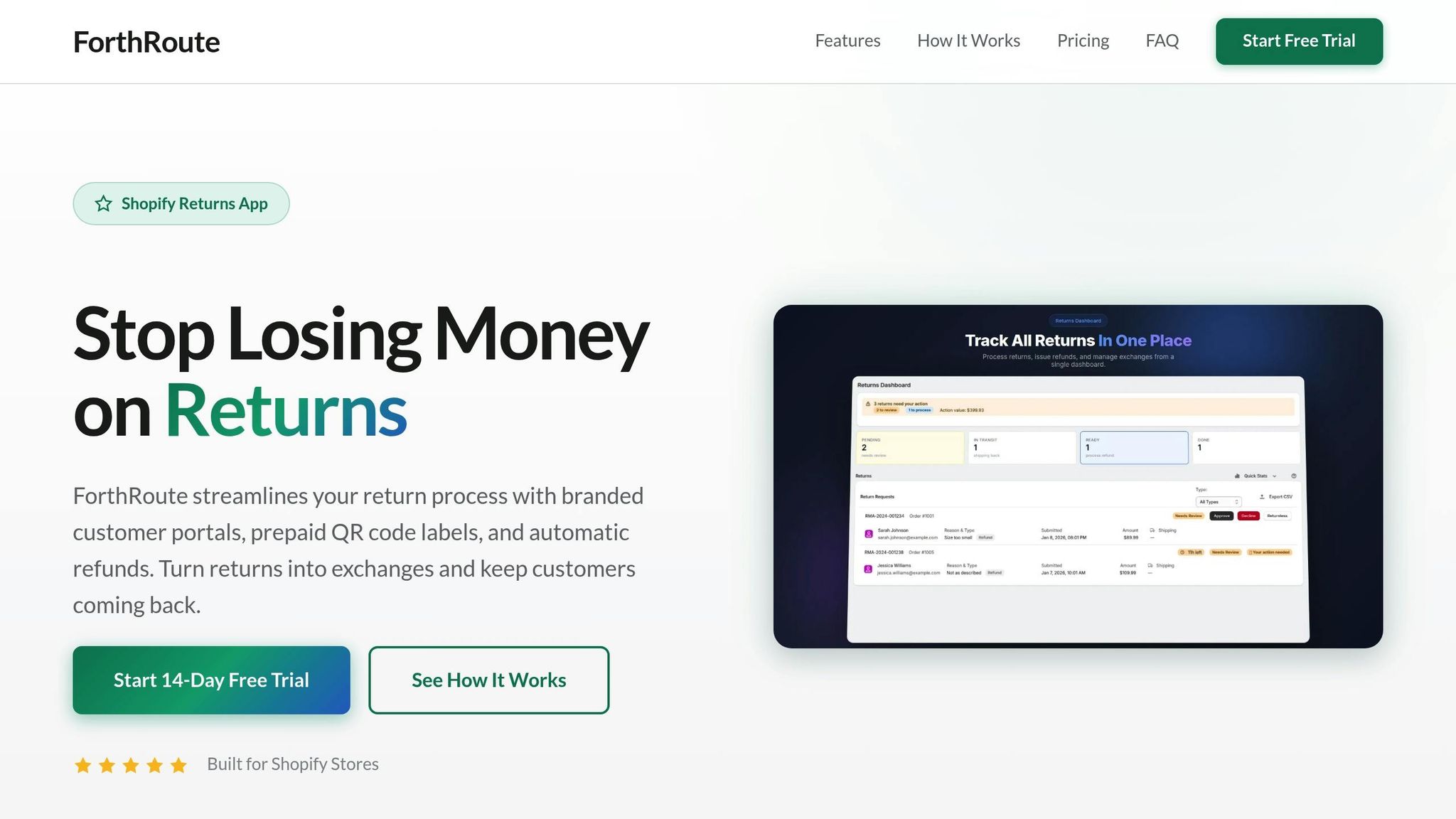
After confirming your 3PL provider supports the required API features, the next step is configuring Forthroute's automated returns system. This setup minimizes manual work while helping retain revenue. Forthroute integrates seamlessly with Shopify's GraphQL Admin API to handle the entire returns process - from when a customer initiates a return to its final resolution.
The system focuses on three main features: a self-service portal for customer interactions, automated approval rules with instant label creation, and exchange-first workflows that prioritize keeping revenue in your business over issuing refunds. Together, these features lighten the load on your support team and improve the overall customer experience. The process begins with setting up a simple, branded self-service portal.
Configuring Your Self-Service Returns Portal
To set up Forthroute's self-service portal, start by adding a "Start a Return" link to your Shopify store's footer or customer account page. When customers click this link, they’ll input their Order ID and email address to view eligible items for return. The portal pulls order data directly from Shopify, showing only fulfilled items that fall within your return window.
Real-time data synchronization is achieved through webhooks. For example, when a customer submits a return request, the returns/request webhook is triggered, instantly notifying the system to begin processing - eliminating delays common with polling-based setups. Forthroute also integrates with EasyPost to generate prepaid shipping labels. These labels are sent back to Shopify using the reverse_deliveries/attach_deliverable webhook. Customers can choose between traditional printed labels or printerless QR code returns at carrier drop-off points. Once tracking details are available, the system automatically notifies the customer.
Creating Automated Approval Rules and Shipping Labels
Building on the self-service portal, Forthroute uses automated approval workflows to handle return requests efficiently. When the returns/request webhook is triggered, Forthroute evaluates the request against predefined business rules. For instance, you can set rules like "Auto-approve returns under $50" or "Reject items marked Final Sale." If a return meets the criteria, Forthroute updates the return status to OPEN via a Shopify API mutation, which then triggers the returns/approve webhook. This signals your 3PL to prepare for the incoming shipment and generates a prepaid shipping label almost instantly.
The system also uses the label.request.issued webhook to provide real-time updates while minimizing unnecessary API calls. To ensure secure data exchange, webhook signatures are validated. For more complex scenarios - like high-value items or suspicious patterns - returns can be flagged for manual review, allowing your team to focus on these edge cases while routine returns are handled automatically.
Prioritizing Exchanges and Store Credit Over Refunds
Forthroute encourages keeping revenue in your business by promoting exchanges and store credit. The portal suggests alternative products based on the customer’s return reason. For example, if a customer selects "Too small", the portal might recommend a larger size. Additionally, a built-in top-up feature calculates the price difference for higher-value exchanges, allowing customers to pay the balance directly through the portal. This approach not only improves the customer experience but can also increase your Average Order Value.
Store credit offers another compelling option. Instead of waiting days for a bank refund, customers receive immediate credit for future purchases - an option that’s often more appealing when paired with personalized product recommendations. Given that about 20% of online purchases are eventually returned, offering a smooth exchange process can significantly affect your bottom line. Plus, the portal syncs with your 3PL’s inventory in real time, ensuring that only in-stock items are offered for exchanges. This prevents backorders and reduces customer dissatisfaction.
To keep customers informed, automated emails are sent at every stage of the return process. These emails notify them when the return is approved, when the shipping label is ready, when the item arrives at the warehouse, and when their replacement ships. This not only reduces "Where Is My Order?" inquiries but also builds trust. By integrating these features into your workflow, you can retain revenue, provide a better customer experience, and strengthen loyalty through immediate financial reconciliation.
Testing and Scaling Your 3PL Returns Integration
Once you've configured Forthroute, it's time to test your setup in a sandbox environment. This step ensures that no live data is affected while you verify key components like API keys, OAuth credentials, and the accessibility of your webhook endpoint, which should return a 200 OK status.
After confirming basic connectivity, simulate the entire return process from start to finish. This includes testing everything from return submissions and approvals to label generation, tracking updates, and restocking. Intentionally trigger errors to check how well the system handles them and ensure all payloads align with the API schema.
Running Complete Integration Tests
Your testing should mimic real-world scenarios as closely as possible. In your sandbox environment, create test returns that cover a variety of cases: auto-approved returns for items under $50, rejected final sale items, exchanges involving price differences, and returns opting for store credit. Ensure each webhook fires at the correct moment - such as returns/request when a customer submits a return, returns/approve when it's accepted, and label.created when a shipping label is generated. To avoid duplicate processing caused by network issues, leverage idempotency keys for repeated signals.
It's crucial to focus on the financial flow during testing. For Shopify integrations, use the returnProcess mutation to confirm item details and update financial reports accurately. Verify that inventory levels update correctly when items are restocked and that replacement orders for exchanges are only released after the original items are received. Keep detailed logs of all API interactions and webhook payloads - these logs will be invaluable if you encounter unexpected issues later on.
Tracking API Performance and Fixing Issues
To maintain integration health, set up automated alerts to flag failed API calls, webhook problems, or unexpected errors. Use exponential backoff retry logic to handle temporary failures and rely on detailed logs to identify issues like invalid IDs, authentication errors, or incorrect payload formats. Always validate webhook signatures to ensure each request is authentic, and monitor metrics such as response times, delivery success rates, and the percentage of automated processes completed successfully.
Preparing Your Integration for Higher Volume
As your return volumes grow, optimize your integration to handle the increased load. Prioritize webhooks over polling to reduce server strain during busy periods. Implement two-way integrations so that warehouses can automatically send updates on grading and item disposition. Use ASN APIs to track packages by status, combining real-time updates with periodic bulk data pulls to keep everything in sync. Automated approval rules can help manage routine requests efficiently, allowing you to focus on resolving more complex cases as they arise.
Key Takeaways
Streamline returns with 3PL API integration to recover revenue and cut costs. By automating tasks like approval processes, label creation, and inventory syncing, 3PL API integration simplifies returns management. Real-time webhook connections notify your warehouse the moment a return is initiated, while two-way syncing ensures grading decisions flow seamlessly back to your system. This setup not only reduces costs but also enhances customer satisfaction.
Encourage exchanges over refunds to protect your bottom line. The average return rate for e-commerce sits at 14.5%, with some categories - like dresses - reaching as high as 30% to 40%. Nogin's 2024 returns optimization strategy is a prime example of how focusing on exchanges can save money. They helped clients save around $1 million in just one year, including $500,000 in reduced customer service expenses, by converting returns into exchanges or store credit. As Anh Vu-Lieberman, SVP of CRM, SEO, and Personalization at Nogin, explained:
"We've saved nearly $1 million for our clients in the first year, thanks to revenue retention via exchanges and $500,000 in reduced customer service costs".
Self-service portals ease the workload and improve customer experience. Forthroute's self-service portal highlights how automation can simplify the returns process. From initiating returns to generating labels and suggesting exchanges, the portal reduces manual intervention. Features like QR code-enabled returns, integrated with carriers, remove unnecessary friction and make the process smoother for customers.
Thorough testing and ongoing monitoring are critical for success. Before launching, conduct comprehensive tests in a sandbox environment to cover scenarios like auto-approved returns under $50 or rejected final sale items. Once live, keep an eye on API performance metrics like response times and webhook delivery rates to catch issues early. As return volumes grow, webhooks scale more effectively than polling, ensuring your system stays responsive during busy periods.
Returns processing costs can range from 20% to 65% of an item's value. Automating returns, promoting exchanges, and syncing inventory in real time can help recover lost revenue and lower operational expenses. Considering that 76% of consumers see free returns as a must-have, investing in a robust API integration isn't just a smart move - it’s essential for Shopify merchants looking to stay competitive.
FAQs
How does integrating a 3PL API improve Shopify's returns process?
Integrating a 3PL API with Shopify streamlines the returns process by enabling real-time communication between your store and third-party logistics providers. This connection allows for seamless data sharing related to return requests, shipping updates, and inventory management, cutting down on manual tasks and minimizing errors.
With a 3PL API, you can automate key steps such as creating return labels, directing packages to the right warehouse, and offering customers instant tracking updates. These features make returns faster and more transparent, which can boost customer satisfaction and encourage loyalty. On top of that, merchants can customize workflows, automate approval processes, and analyze return patterns - turning what could be a logistical headache into a chance to refine operations and protect revenue.
What features should I prioritize in a 3PL provider's API for managing returns?
When selecting a 3PL provider's API for managing returns, focus on features that streamline processes and enhance the customer experience. One key feature to consider is automation - this can simplify tasks like automatically approving or rejecting return requests based on predefined rules, cutting down on manual work. Another must-have is real-time data syncing, which ensures accurate updates on return statuses, inventory levels, and refunds. This not only boosts efficiency but also keeps customers informed and satisfied.
The API should also include prepaid shipping label generation, with options for printerless returns using QR codes. This adds convenience for customers, making the return process hassle-free. Additionally, the API should support various return resolutions, such as exchanges, store credits, or direct refunds, offering flexibility to meet different customer preferences. Lastly, don't overlook the importance of analytics and reporting tools. These tools help you track return patterns, pinpoint issues, and refine your return policies, ultimately helping you retain more revenue.
Why should I prioritize exchanges over refunds in the returns process?
Retaining revenue and fostering customer loyalty often hinges on prioritizing exchanges over refunds. While refunds directly cut into your sales, exchanges allow you to keep the money within your business by encouraging customers to opt for alternative products or store credit. This approach not only helps reduce revenue loss but also keeps shoppers connected to your brand.
Exchanges also improve the overall shopping experience by providing a straightforward and hassle-free solution. When customers can easily swap an item for a better fit or a different product, they’re more likely to walk away satisfied - and come back for future purchases. Tools like ForthRoute simplify this process by automating exchange suggestions and approval rules, reducing strain on your support team and making returns management smoother for both you and your customers.