When managing in-store pickups and online returns for your Shopify store, choosing the right POS system can simplify operations, save time, and retain revenue. Here's the key takeaway:
- Free POS systems are great for small stores with simple needs. They offer features like self-service return portals, QR code returns, and basic inventory syncing. Tools like Forthroute start at $19/month and are easy to set up, making them ideal for handling unlimited returns.
- Paid POS systems (e.g., Shopify POS Pro at $155/month) are better for multi-location stores or high return volumes. They include advanced features like push notifications, multi-location inventory transfers, and staff permissions, which streamline complex workflows.
Quick Comparison:
| Feature | Free / Low-Cost ($0–$19/mo) | Premium ($155/mo) |
|---|---|---|
| Inventory Sync | Real-time updates | Multi-location stock transfers |
| QR Code Returns | Supported | Integrated in-store workflows |
| Automation Rules | Basic rules for returns | Advanced routing and fraud detection |
| In-Store Pickup Management | Basic via admin | Dedicated POS tools, notifications |
| Staff Permissions | Limited | Granular control |
For small businesses, free systems like Forthroute offer solid functionality without extra costs. Larger operations may benefit from the advanced tools in paid systems. Choose based on your store size, return volume, and operational complexity.
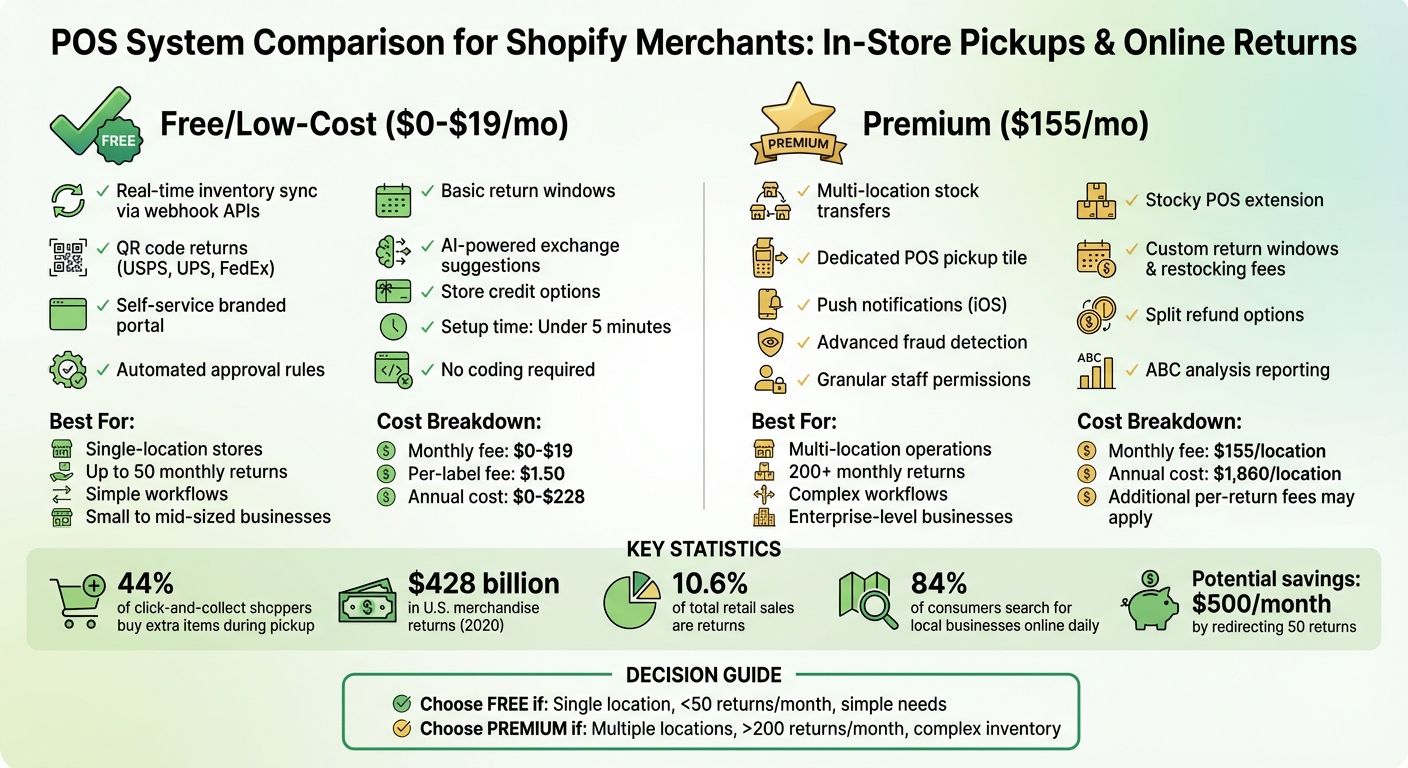
Free vs Paid POS Systems for Shopify: Feature Comparison Chart 2026
Webinar: Shopify POS Orders, Returns & Quotes
sbb-itb-a3e286c
Free POS Systems: What You Get
Let’s break down what free POS systems bring to the table for Shopify merchants.
Core Features of Free POS Systems
Free POS systems for Shopify often come with a branded self-service portal, allowing customers to handle returns without needing to reach out to your support team. This feature makes returns smoother for everyone involved.
Another standout feature is printerless QR code returns. Customers can use prepaid, QR-enabled shipping labels on their phones at drop-off points like USPS, UPS, or FedEx - no printer required. It’s convenient and eliminates unnecessary steps.
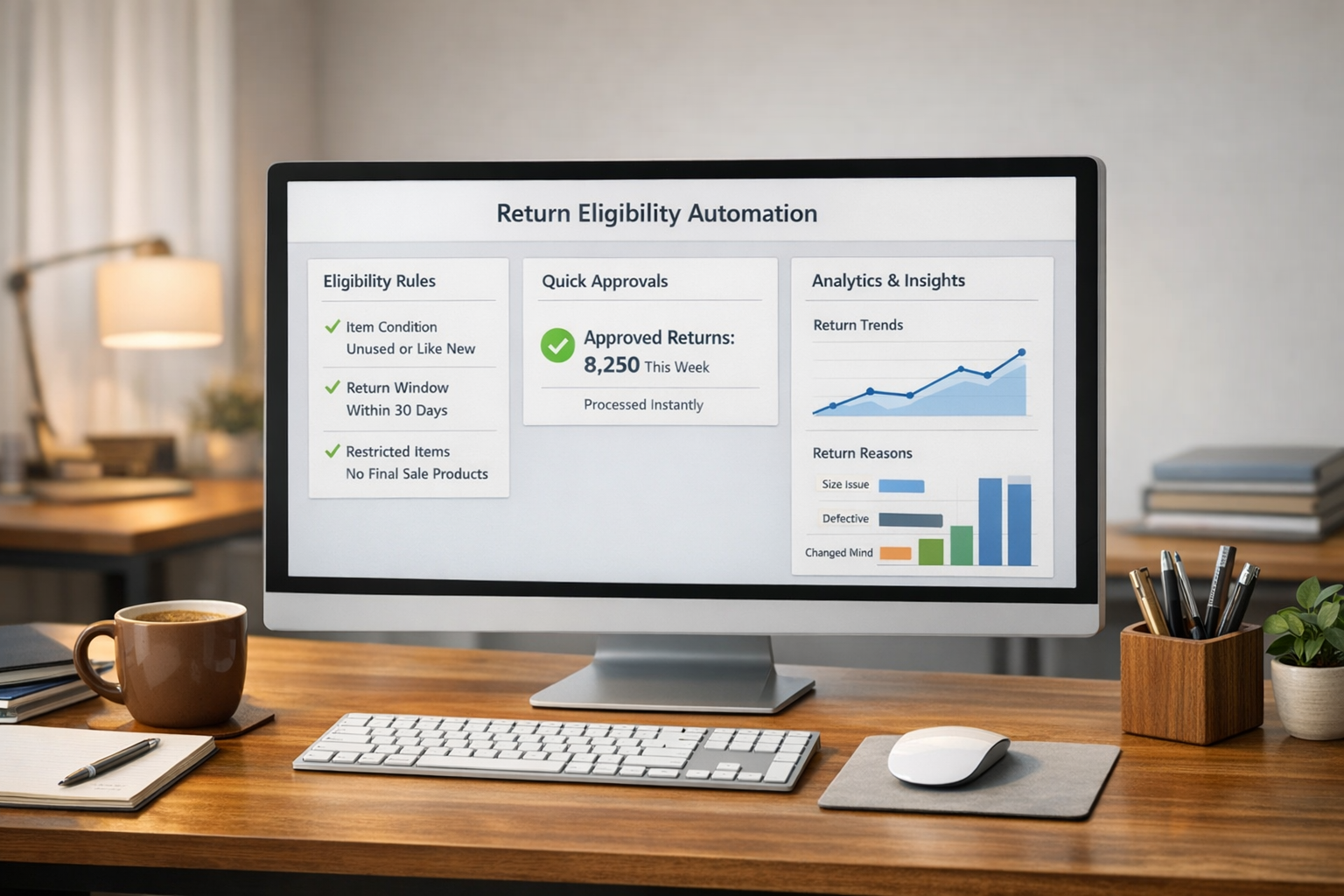
You’ll also find automated return rules. These let you define return windows, exclude certain items (like final sale products), and even auto-approve low-value returns while flagging higher-value ones for manual review.
And let’s not forget revenue retention tools. These include AI-powered exchange suggestions that recommend alternative products based on why a customer is returning an item (e.g., sizing issues) and instant store credit options to keep revenue within your business. For more insights, check out this guide on returns automation.
How Forthroute Works for Shopify
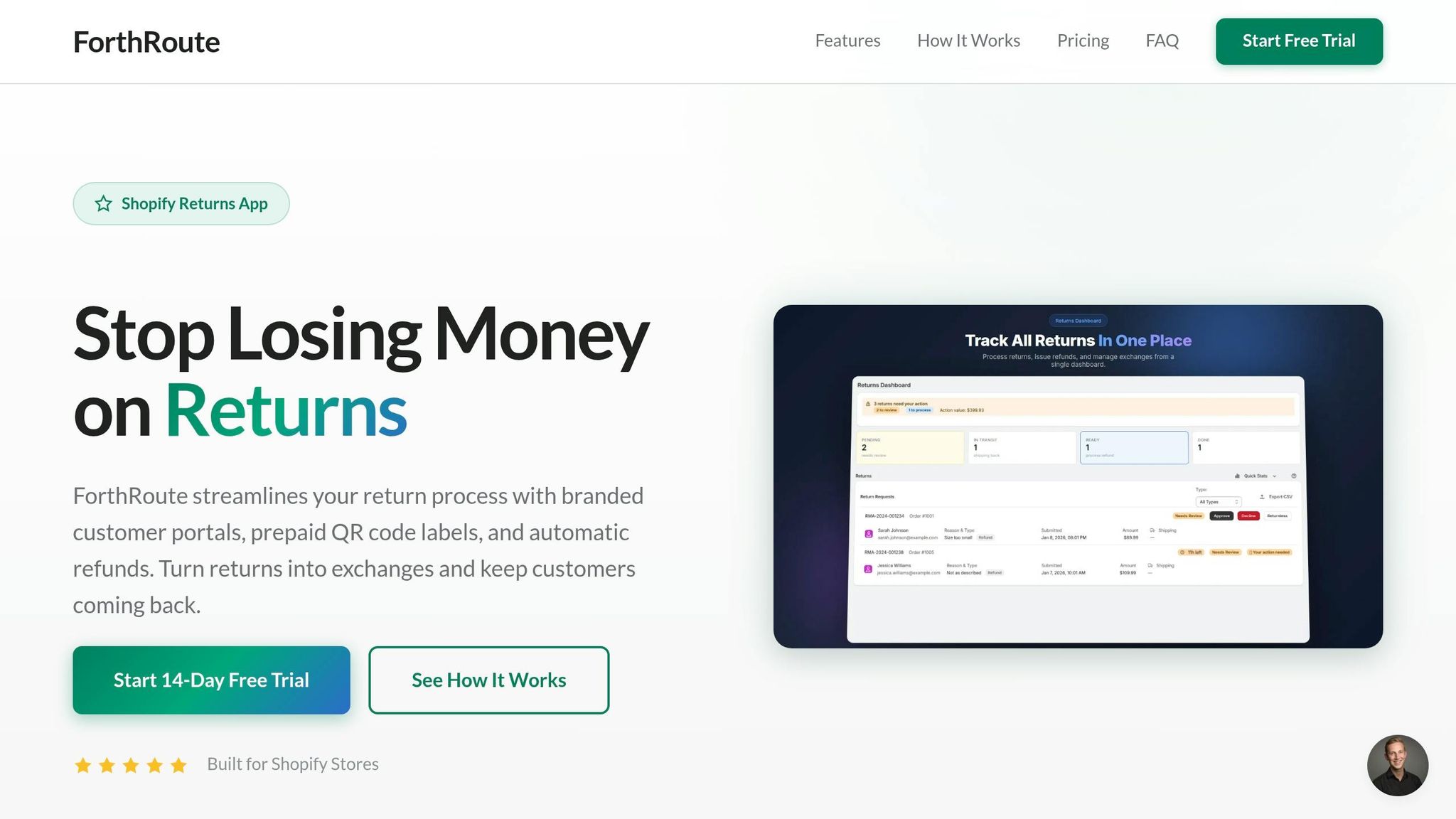
Forthroute offers a $19/month returns management system tailored for Shopify merchants. Setup is quick - under five minutes - and doesn’t require any coding skills.
Here’s how it works: you add a "Start a Return" link to your store, and customers can easily submit their order, select items for return, and choose a resolution (refund, exchange, or store credit). The process is fully automated from start to finish.
Forthroute also integrates seamlessly with third-party logistics and warehouse systems using webhook APIs. This ensures real-time inventory updates when returns are received and restocked, cutting out manual data entry and keeping stock levels accurate across all sales channels. Want to take your inventory management to the next level? Check out this dealer inventory management system.
The platform supports all Shopify tiers - Basic, Shopify, Advanced, and Plus - and works with major carriers for QR-based returns. It also prioritizes exchanges and store credit, using AI to suggest alternative items based on the customer’s return reason.
While this free option works great for many Shopify merchants, stores with higher return volumes or more complex operations might need additional features.
When Free POS Systems Fall Short
Free systems are ideal for smaller stores with simple return workflows. However, they may not be the best fit for high-volume merchants managing hundreds of returns daily or businesses requiring extensive customization.
For example, if your business operates across multiple physical locations and needs dedicated POS hardware, staff notifications, or advanced multi-location inventory transfers, a free system might not be enough. Similarly, if you rely on complex ERP integrations or custom reporting dashboards, you may want to explore paid options.
It’s also worth noting that low-cost systems still come with costs like carrier shipping fees and a standard $1.50 per-label processing fee. That said, for merchants with straightforward return needs - like automating approvals, offering exchanges, and syncing inventory - free systems provide solid functionality without the expense of a paid solution.
Next, we’ll take a closer look at how paid systems compare.
$155/mo POS Systems: What You Get
Paid POS systems priced at $155/month are tailored for Shopify merchants managing multiple locations or dealing with high order volumes. These systems go beyond basic functionality, offering tools designed to simplify in-store pickup workflows and advanced inventory management. For businesses that have outgrown free tools, the paid features help tackle the complexities of running multi-location operations.
Core Features of Paid POS Systems
The Shopify POS Pro plan ($155/month per location) introduces exclusive tools for managing in-store pickups that aren't available with free plans. Key features include:
- A dedicated home screen tile to monitor orders requiring preparation.
- Push notifications for new pickup requests (currently only available on iOS devices).
- QR-coded pickup slips for quick order location.
- Automated return rules that allow for flexible return windows, restocking fees, and "final sale" collections.
With the Stocky POS extension, staff can directly handle stock adjustments, receive purchase orders, and manage inventory transfers from the POS device, eliminating the need to access the Shopify admin.
Multi-location inventory transfers simplify stock management. Whether automated or manual, these transfers ensure products are moved to the pickup location when stock is unavailable at the customer’s preferred site. Specific product collections, like bulky or fragile items, can be excluded from transfers to avoid logistical issues.
Refund options are also more flexible. Merchants can split refunds across multiple payment methods, issue store credit to customer profiles, or refund to gift cards. Christine Hannivan of Blue Badger emphasizes the importance of these features:
Returns and inventory management may not be the flashiest or most exciting aspects of your business, but they can easily make or break your customer experience if not properly set up and managed.
For stores managing higher return volumes and multiple locations, these tools streamline operations and enhance the customer experience.
When Paid Systems Make Sense
These advanced features are ideal for merchants operating across multiple physical locations or dealing with complex return workflows. For Shopify stores requiring seamless hardware integration and efficient coordination between locations, the paid plan offers a notable upgrade compared to free systems.
Paid systems are particularly beneficial for multi-location Shopify stores processing large volumes of returns. If your store handles hundreds of returns daily, the $155/month investment can save time and reduce operational headaches.
Merchants needing custom roles and permissions for their staff will also find value in paid plans. For instance, you can limit manual inventory adjustments to managers or specific roles, ensuring better data accuracy. Advanced reporting tools like ABC analysis - used to evaluate product performance and guide inventory decisions - are another advantage of the paid plan.
However, proper setup is essential. You’ll need to associate a shipping zone with each physical pickup location in the Shopify admin. Without this, customers may encounter errors stating that their order isn’t available for pickup.
Downsides of Paid POS Systems
While the paid system offers powerful tools, it does come with some drawbacks.
The most obvious downside is cost. At $155/month per location (or about $128/month if billed annually), the expenses can add up quickly for businesses with multiple locations. This is an additional cost on top of the base Shopify plan.
Paid systems also require a more complex setup compared to free options. Configuring shipping zones, managing store transfers, and training staff on new workflows can be time-consuming. For smaller merchants with simpler return needs, this added complexity might not be worth the monthly fee.
Another limitation is that push notifications for in-store pickup are currently only compatible with iOS devices. This can create inconsistencies if your team uses a mix of iOS and non-iOS devices.
Free vs $155/mo: Feature Comparison
Feature Comparison Table
Choosing the right POS system for managing in-store pickups and online returns can make a big difference in efficiency. Whether you’re considering a free option or a premium solution, the features you get will vary greatly.
Here’s a breakdown of how free and paid POS systems compare for Shopify merchants:
| Feature | Free / Low-Cost ($19/mo) | Premium / Enterprise (~$155/mo) |
|---|---|---|
| Inventory Sync | Real-time restocking via 3PL/WMS webhook APIs | Advanced multi-location stock transfers and BOPIS (Buy Online, Pick Up In-Store) |
| QR Code Workflows | Supported for USPS, UPS, and FedEx via mobile | Fully integrated in-store return-to-shelf workflows |
| Pricing Model | Flat monthly fee; no per-return charges | Often includes per-return fees or higher pricing tiers |
| Automation Rules | Auto-approval rules, return windows, and product exclusions | Complex conditional routing, fraud detection, and multi-carrier logic |
| Shopify POS | Native integration for Shopify merchants | Dedicated POS UI extensions and hardware sync |
| In-Store Pickup | Managed via Admin | Dedicated POS tile, notifications, and streamlined workflow |
| Return Rules | Automated approval rules and return windows | Custom return windows and restocking fees |
| Staff Permissions | Basic user access | Granular permissions for inventory and returns |
This table highlights key differences, but how do these features affect your Shopify store?
What This Comparison Means for You
For Shopify merchants running single-location stores, a free or low-cost system is often enough. These systems provide essential tools like real-time inventory sync through webhook APIs, automated approval rules, and basic QR code workflows. If your store uses a 3PL provider, these features should cover your needs effectively.
However, for those managing more complex, multi-location operations, premium systems shine. Features like advanced inventory management, multi-location stock transfers, and dedicated POS tiles for in-store pickups make a big difference. For example, premium systems often include tools like Stocky extensions, which allow staff to adjust inventory, handle stock transfers, and manage purchase orders directly from a POS tablet. These capabilities streamline operations and improve efficiency across multiple locations.
If you’re considering a low-cost option, platforms like Forthroute ($19/month) offer branded portals, automated approval rules, and QR code shipping labels. These features make it easy to manage returns and pickups without breaking the bank. On the other hand, the $155/month premium tier provides extras like push notifications, return-to-shelf workflows, and on-device inventory transfers, which are invaluable for larger operations.
One thing to watch out for with premium systems is the potential for per-return fees. While flat-rate pricing avoids unexpected costs as return volumes increase, some premium options may include additional charges.
The good news? Shopify-native apps are now incredibly user-friendly. You can configure branded portals, policies, and carrier settings in under five minutes - no technical skills required. This makes it easy to test a low-cost system before committing to a premium solution.
Cost and ROI for Shopify Merchants
Monthly Cost Breakdown
When it comes to return management systems, the costs vary widely. Some low-cost systems start at $19/month, while paid plans typically start at $155/month. For example, Forthroute operates at $19/month, while Loop Returns' Essential tier begins at $155/month, which translates to about $1,860 annually. Similarly, ReturnGO's Premium tier is priced at $147/month, or roughly $1,764 per year.
For small to mid-sized Shopify merchants handling returns each month, low-cost systems are a practical choice. They eliminate fixed subscription fees, ensuring you’re not paying for features you don’t use. Paid systems, however, justify their higher price with advanced tools like AI automation and multi-carrier integrations, which are more beneficial for merchants managing over 200 returns per month. That said, these paid systems often come with hidden variable costs, making it harder to predict your expenses. Low-cost systems like Forthroute offer simplicity and predictability in budgeting.
Understanding these cost structures can help merchants see how free systems can help preserve revenue.
How Free Systems Protect Revenue
Low-cost systems can safeguard revenue by turning returns into store credit or exchanges. This approach keeps the money within your business. For instance, 44% of click-and-collect shoppers purchase at least one extra item during in-store pickups, driving additional sales without monthly fees cutting into your margins.
Offering in-store pickup also reduces return rates. Shoppers can verify fit, color, and quality on-site, minimizing the likelihood of returns. For those returns that do happen, tools like Shopify POS ensure instant inventory updates across all sales channels, preventing overselling and keeping operations smooth.
Here’s an example: A mid-sized Shopify store with 200 monthly orders and a 15% return rate (30 returns) could save $300–$600 each month in return shipping costs by redirecting just half of those returns to in-store pickups.
Operational efficiency also plays a big role in cutting costs beyond subscription fees.
U.S. Return Costs and Why Automation Matters
In 2020, U.S. shoppers returned $428 billion worth of merchandise, accounting for 10.6% of total retail sales, according to the National Retail Federation. Return shipping is a major expense, which is why automation can be a game-changer - without the need to pay $155/month for a paid system.
Low-cost systems enable options like buy online, return in-store (BORIS), which shifts returns to in-store pickups, significantly cutting last-mile shipping costs. Automation also slashes labor expenses. For example, manually processing 50 returns can take up to 8 hours each month, costing around $60–$120 at $15/hour. Automated systems reduce this time to under one minute per return by integrating customer and order data seamlessly.
For Shopify merchants, automating returns doesn’t just save on labor - it also ensures accurate inventory updates across both in-store and online channels.
The math is simple: redirecting 50 returns each month, with an estimated $10 saved per return, adds up to $500 in monthly savings. That’s enough to cover the cost of a $155/month paid system with just 31 redirected returns. Low-cost systems, however, can achieve similar savings with minimal monthly expense, making them especially appealing for merchants handling returns each month.
For more tips on cutting costs and improving return management, check out our Forthroute homepage or explore our guide on best practices for multi-carrier returns automation.
Next, we’ll dive into actionable steps for setting up efficient workflows for in-store pickups and online returns.
How to Handle In-Store Pickup and Online Returns
Setting Up In-Store Pickup
For Shopify merchants, keeping inventory in sync across platforms is non-negotiable when offering in-store pickup. With 84% of consumers searching for local businesses online daily, your Shopify store must reflect accurate stock levels across both your online and physical locations. Missteps here can lead to frustration - 53% of shoppers say they'll avoid businesses with incorrect listings.
To ensure smooth operations, start by regularly updating your Google Business Profile with current hours and events. This small yet impactful step prevents wasted trips and strengthens trust with local customers. When a customer places a BOPIS (Buy Online, Pick Up In Store) order, set up automated notifications to alert your staff immediately. Adding a "Pickup in store" button to your POS system's home screen can help your team quickly identify and prepare these orders. For an even faster handoff, use pickup slips with QR codes that your staff can scan to instantly pull up the order details.
If an item isn’t available at the preferred pickup location, use store transfer features to move inventory from a warehouse or another branch. However, avoid transferring bulky or fragile items to minimize shipping costs and potential damage. Train your team to retrieve orders efficiently using multiple identifiers like Order ID, customer name, receipt number, or the last four digits of the credit card used for purchase.
Once you’ve optimized the pickup process, applying similar efficiency to your online returns can enhance your overall customer experience.
Making Online Returns Easier
Handling online returns effectively is just as important as managing in-store pickups. A branded self-service return portal can make the process seamless for Shopify merchants. Adding a "Start a Return" link in your store’s footer menu allows customers to initiate returns on their own. They simply enter their Order ID and email, select the item, provide a reason (like "Too small"), and choose a resolution - Refund, Exchange, or Store Credit. This setup not only reduces customer service inquiries but also gives shoppers more control over their experience.
To simplify the logistics, offer printerless QR codes. Customers can show these codes on their phones at USPS, UPS, or FedEx drop-off locations, where the carrier will print the return label for them. Streamline processing further by integrating automated approval rules. For example, you could auto-approve returns under $50 while flagging higher-value items for manual review.
Sync your return system with your 3PL or Warehouse Management System using webhook APIs. This ensures inventory levels are updated in real time once a return is inspected and restocked, preventing overselling. To protect revenue, consider offering store credit instead of refunds and use product recommendations to suggest exchanges. For instance, if a customer returns a shirt due to sizing, you could recommend the next size up to retain the sale.
For more tips on optimizing your return processes, check out the Forthroute homepage or explore their guide on best practices for multi-carrier returns automation.
Which POS System Is Right for Your Shopify Store
What to Consider Before Choosing
Picking the right POS system for your Shopify store comes down to a few key factors: automation, cost, and your future growth plans. If you manage in-store pickups or handle online returns, look for a system that includes a custom self-service return feature. This reduces the need for customer support while giving shoppers the ability to process returns themselves. Plus, it can encourage exchanges or store credit, helping your business retain revenue. For more details, check out this guide on best practices for multi-carrier returns automation.
Convenience is another major factor. Modern POS systems often support printerless returns using QR codes for carriers like USPS, UPS, and FedEx, speeding up the process for both you and your customers. Additionally, integration with third-party logistics (3PL) or warehouse management systems via APIs and webhooks ensures your inventory stays updated in real time. Many Shopify return apps are also incredibly easy to set up - some take less than five minutes and don’t require any coding skills.
Looking ahead to 2026, it’s worth considering how your POS system works with AI and discovery tools. As Kyle Risley, Senior SEO Lead at Shopify, puts it:
These systems love facts, and a page built on facts is a page built to be cited.
With nearly one-third of consumers already using generative AI for shopping-related tasks, it’s becoming more important than ever to ensure your POS system is compatible with AI-driven search engines and emerging tools like "Agentic Storefronts".
With these factors in mind, let’s dive into why Forthroute might be the best option for your Shopify store.
Our Recommendation
For most Shopify merchants, Forthroute delivers excellent value with its advanced features, including branded portals, automated exchange suggestions, QR code returns, and seamless 3PL integration - all for just $19 per month. Best of all, setup is a breeze - it takes less than five minutes - and you can try it out with a 14-day free trial.
Forthroute stands out by focusing on revenue retention. Its AI-powered system suggests alternative products based on return reasons, like sizing issues, and lets you automate approval rules (for example, automatically approving returns under $50). Additionally, shipping labels are affordable, costing just the carrier rate plus $1.50 per label when used.
While pricier systems (starting at $155 per month) might be better suited for merchants with complex inventory needs or multi-location setups, Forthroute offers the right mix of automation, convenience, and affordability for most Shopify stores looking to scale efficiently and protect their revenue.
Want to simplify your returns process and keep more revenue? Start your 14-day free trial with Forthroute for $19/month and turn returns into opportunities. Get started today.
FAQs
Can I do BOPIS and BORIS with a free POS setup?
With a free POS setup like ForthRoute, you can efficiently handle both BOPIS (Buy Online, Pickup In-Store) and BORIS (Buy Online, Return In-Store). It offers features such as:
- Real-time inventory updates to keep stock accurate across all channels.
- QR code labels for easy order tracking and management.
- Automated return rules to simplify and speed up the return process.
All of this integrates smoothly with Shopify, making it a convenient solution for managing online and in-store transactions.
When does $155/month per location actually pay off?
For high-volume retailers, a $155/month fee for a POS system that supports in-store pickup and online returns can be a smart investment. This tier typically comes with advanced tools such as automated return policies and inventory syncing, which help simplify operations and cut down on manual tasks.
However, for smaller stores, a low-cost option like Forthroute at $19/month might make more sense. It provides essential automation features without the hefty price tag.
Ultimately, the investment is worthwhile when the complexity and volume of returns justify the need for these advanced features.
Does Shopify inventory update immediately after a return?
Shopify's inventory updates happen instantly when processing returns. Any refunded items are automatically restocked at their assigned location, maintaining accurate inventory levels in real time.